
Text expansion is my most frequently used Mac automation. Instead of typing in the same phrases over and over again, I can distill them into text expansion macros.
For example, if I were to type a small snippet, such as:
;welit will expand to:
Welcome to the course! Please make sure to review the syllabus and purchase the text we will be using this term. I look forward to seeing you in class.

Best,


Prof. Krishna
In a nutshell, I simply type in a few characters, and out comes some boilerplate text. Pretty nifty, right?
Prior to setting up my new M5 Pro MacBook Pro (aka FrugalMac), I used a commercially available Mac text expansion app called Typinator. I’ve used Typinator for almost a decade at this point. It’s excellent at what it does, but it’s mostly overkill for my needs.
Instead of blindly installing Typinator onto my new Mac, I dug in a little deeper to investigate whether text expansion capabilities were already present within the software currently available on my laptop.
Lo and behold, they were!
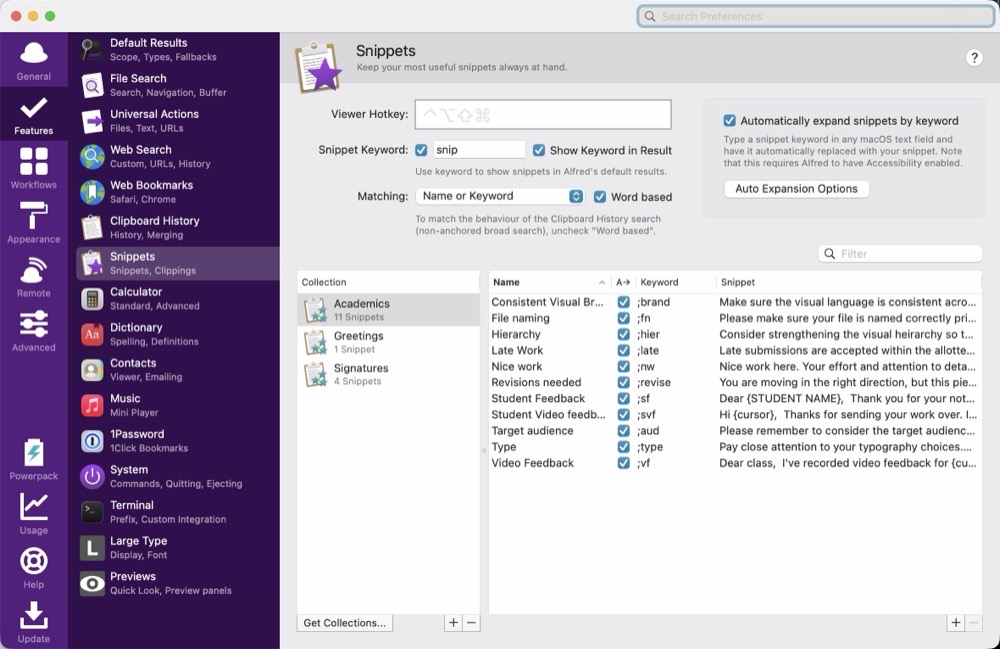
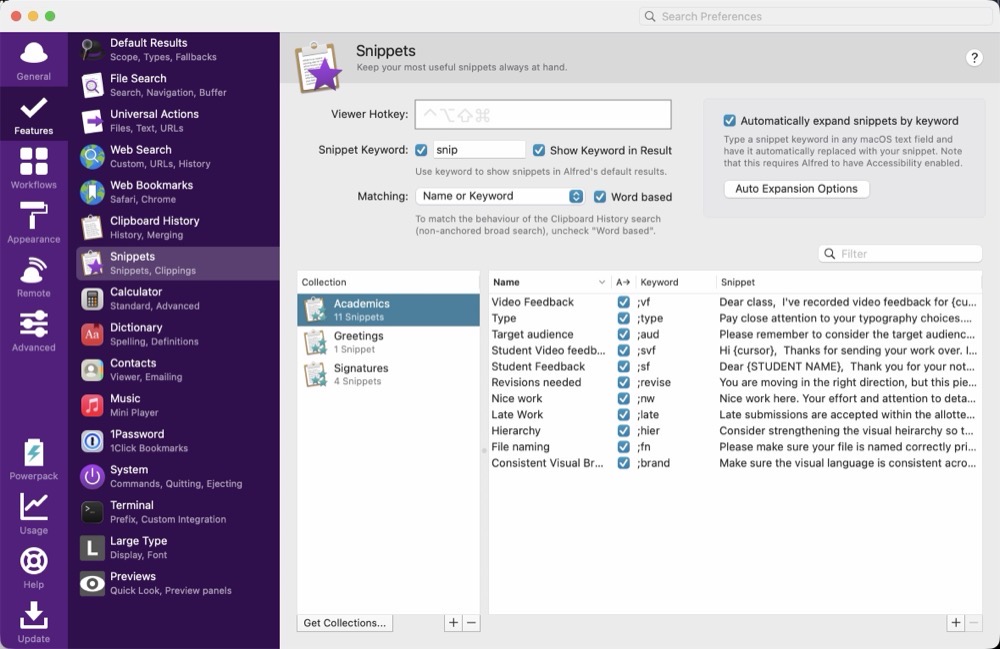
Alfred’s PowerPack includes text expansion capabilities. They’re located inside Alfred’s Preferences panel, within Features > Snippets. Snippets can be organized into Collections. In my case, my Signatures Collection includes custom e-mail signoffs. I have different sign-offs depending upon whether I’m replying to a student or a colleague. I have set up an Academics Collection which includes commonly used phrases that I frequently use when responding to common inquries from my students.
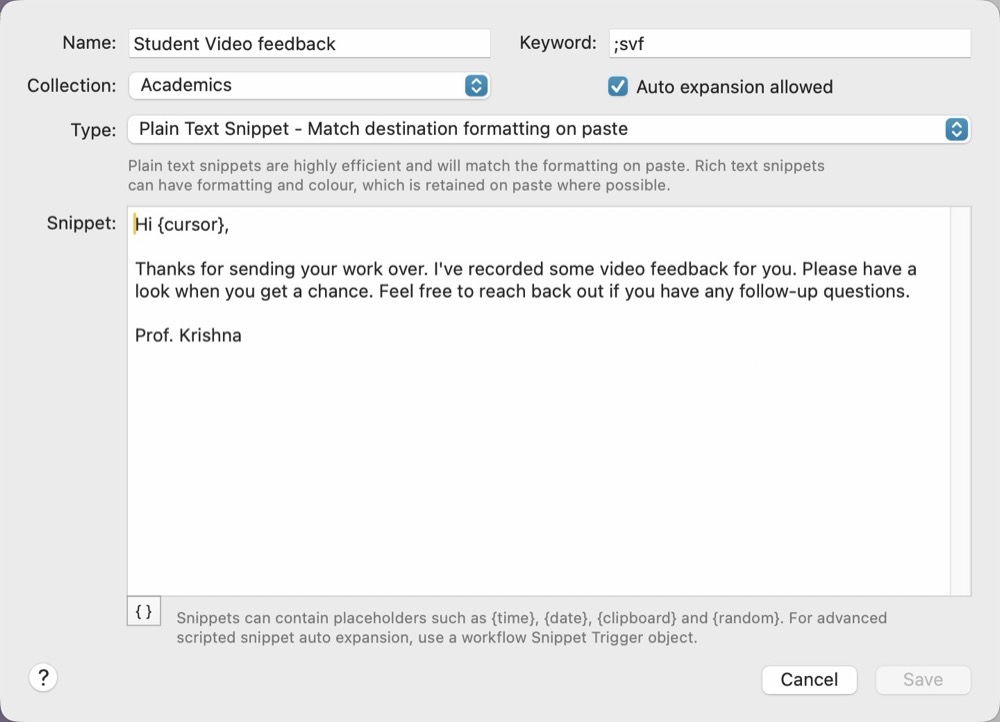
Within each collection are related snippets. Below is a screenshot showing one of my custom snippets. The keyword, in this case, is the trigger. Typing it will cause Alfred to optionally auto-expand with the boilerplate text I’ve provided. One nice convenience with Alfred is the ability to place the cursor where you want, after an expansion. This is done by way of the {cursor} argument. Once the expansion is complete, the cursor automatically moves to where the {cursor} argument is located. I can quickly type in the student’s first name, without having to skip a beat.
Alfred does 90% of what I want in terms of its text expansion capabilities. It would be terrific if I could add dynamic input during a text expansion, as Typinator already provides, but it’s not a deal breaker. I have to admit that there’s a certain sense of satisfaction in making the most out of what I already have.
-Krishna