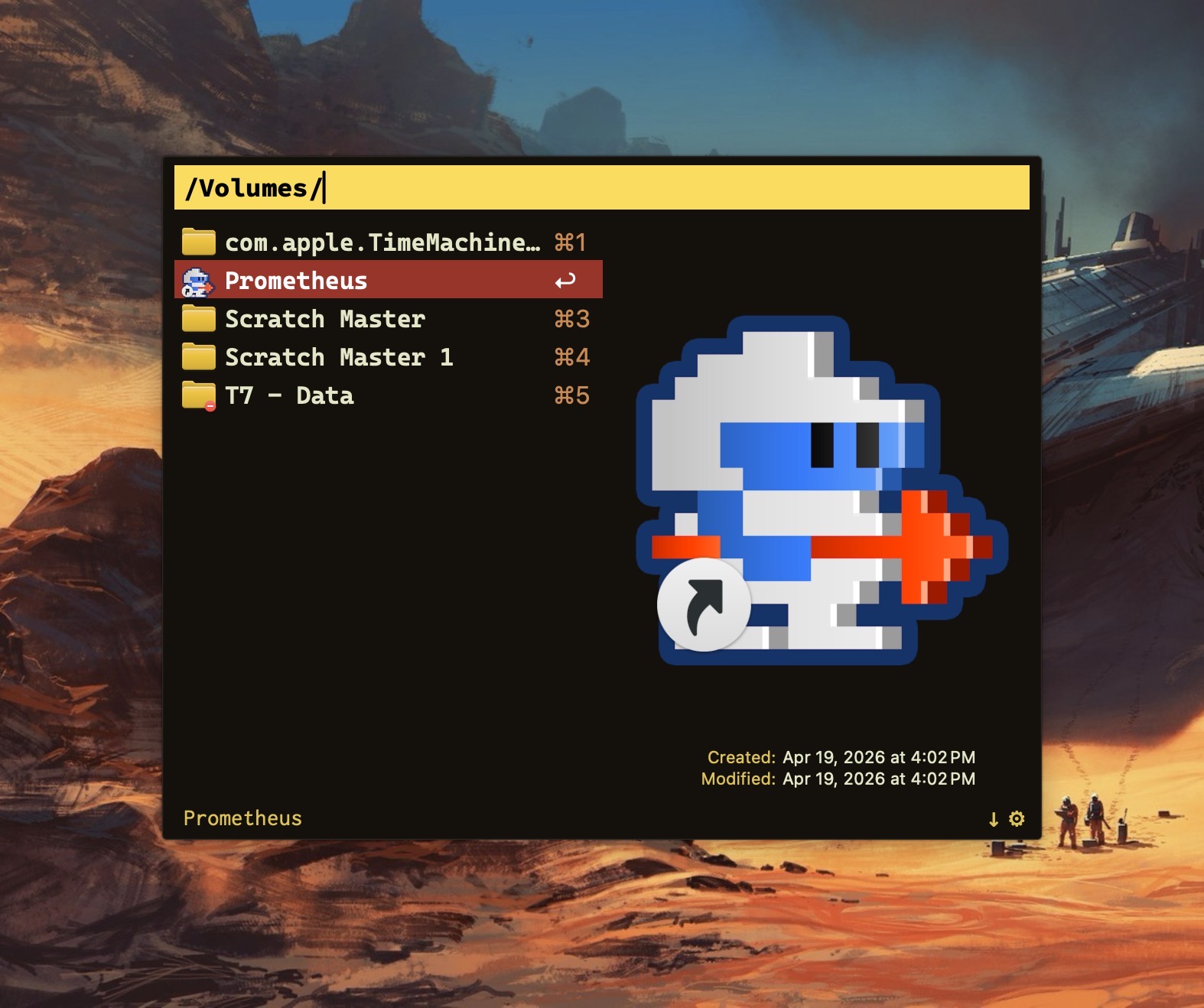
When it comes to macOS Launchers, I’m on Team Alfred. For me, it’s the Swiss Army knife of macOS utilities.
Alfred does much more than launching applications. One of my favorite features is the ability to run a terminal command directly through its interface.
By default, typing a terminal command within Alfred opens Apple’s Terminal.app and executes the command there.
I use Ghostty instead. Would it be possible to have Alfred make the switch?
Absolutely. Here’s how.
Open:
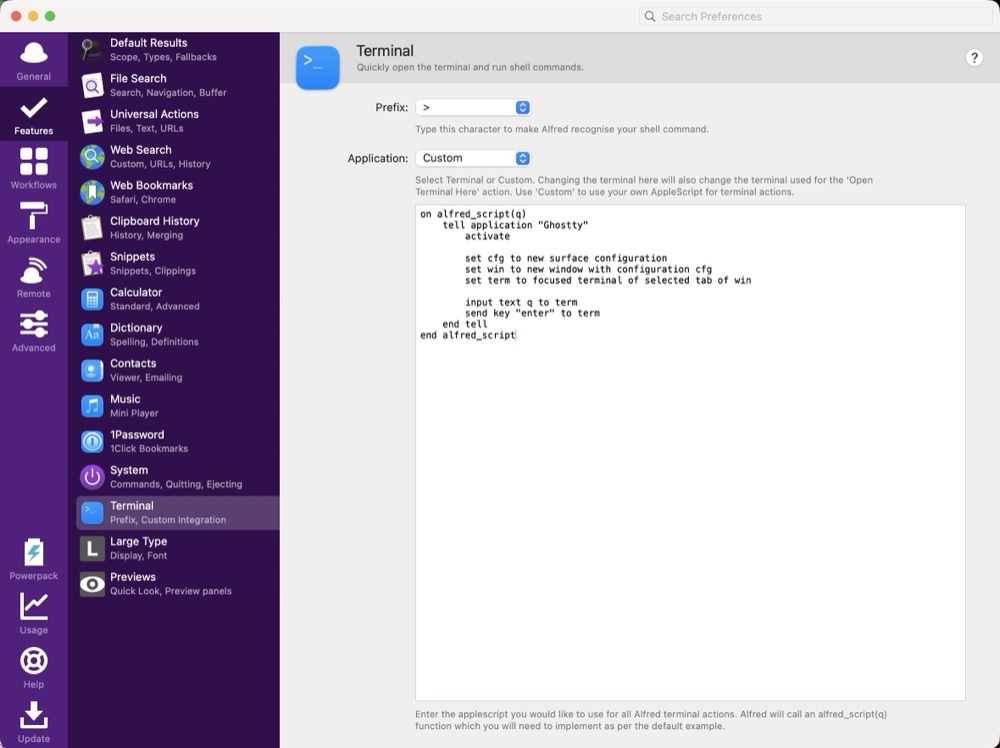
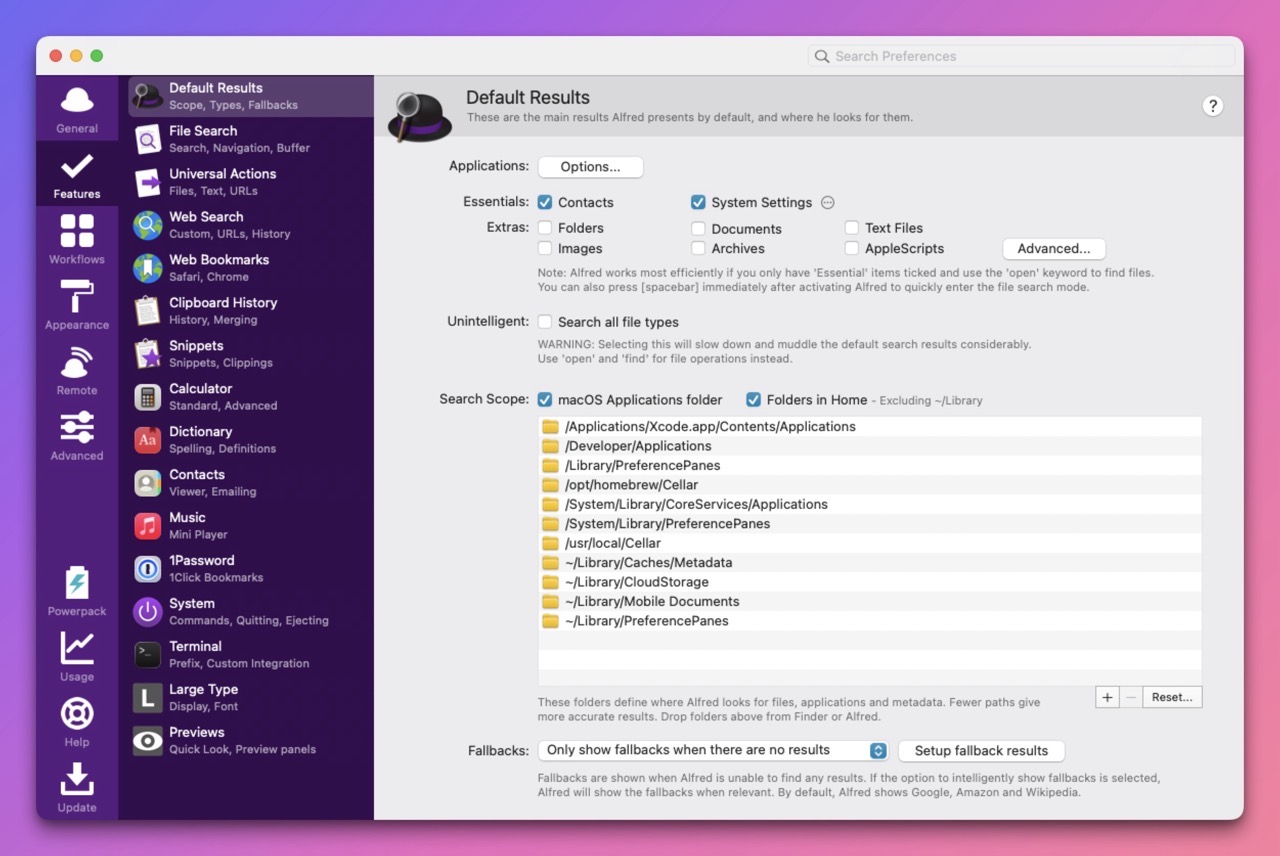
Alfred Preferences > Features > Terminal
Under Application, choose Custom.
Replace the existing AppleScript code with this:
on alfred_script(q)
    tell application "Ghostty"
        activate

        set cfg to new surface configuration
        set win to new window with configuration cfg
        set term to focused terminal of selected tab of win

        input text q to term
        send key "enter" to term
    end tell
end alfred_script
On first run, macOS may ask whether Alfred is allowed to control Ghostty. Grant the permission and you’re set.
From that point forward, every terminal command you run through Alfred will execute it inside Ghostty instead of Terminal.app.
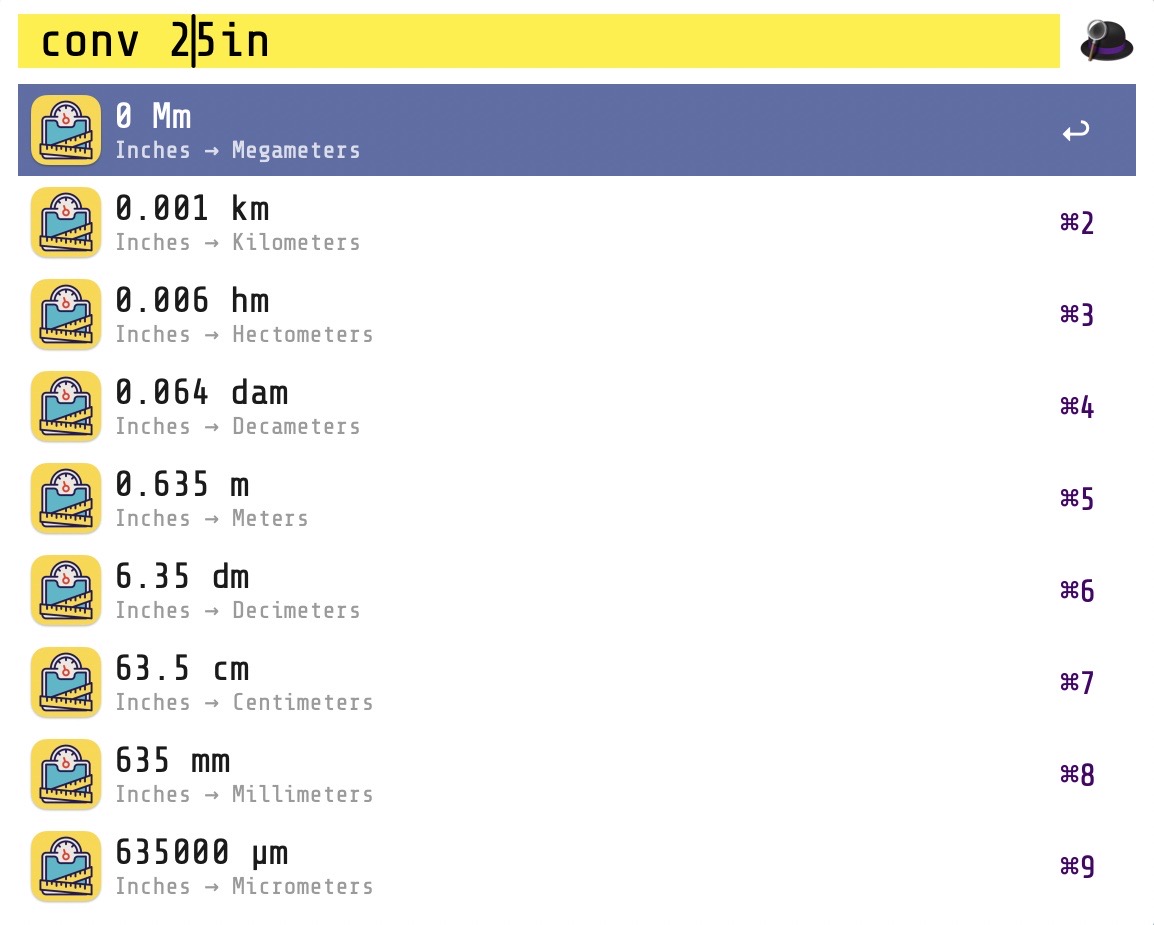
Quickly convert units (inches to km, degrees to radians, etc.) from Alfred. Use the keyword conv followed by a number, and Alfred shows you a list of common conversions.
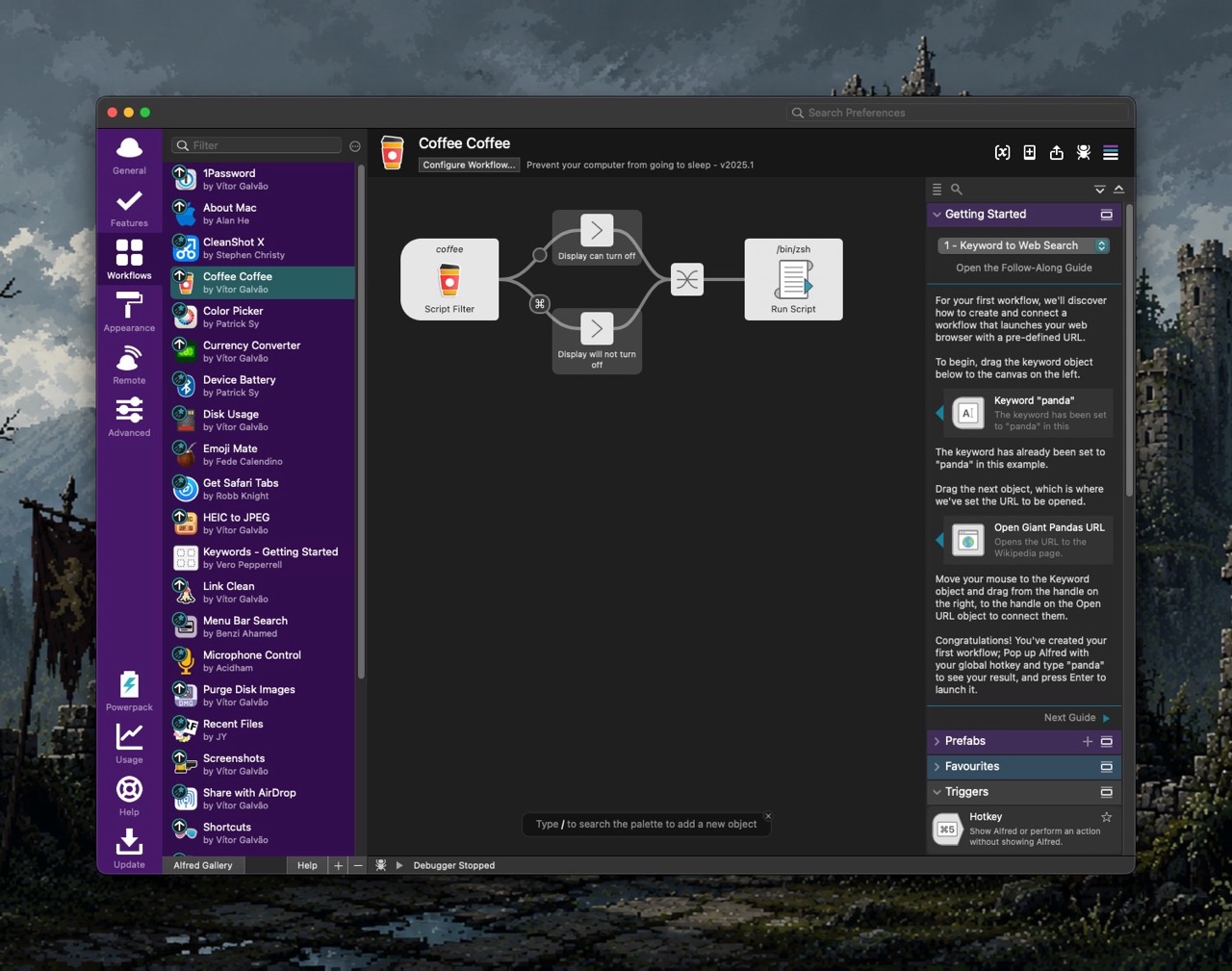
There’s no real need for a dedicated “keep Mac awake” app with Coffee Coffee. Type coffee to keep your Mac awake indefinitely. Type coffee 15 and your Mac will stay awake for 15 minutes, and so on. Super useful.
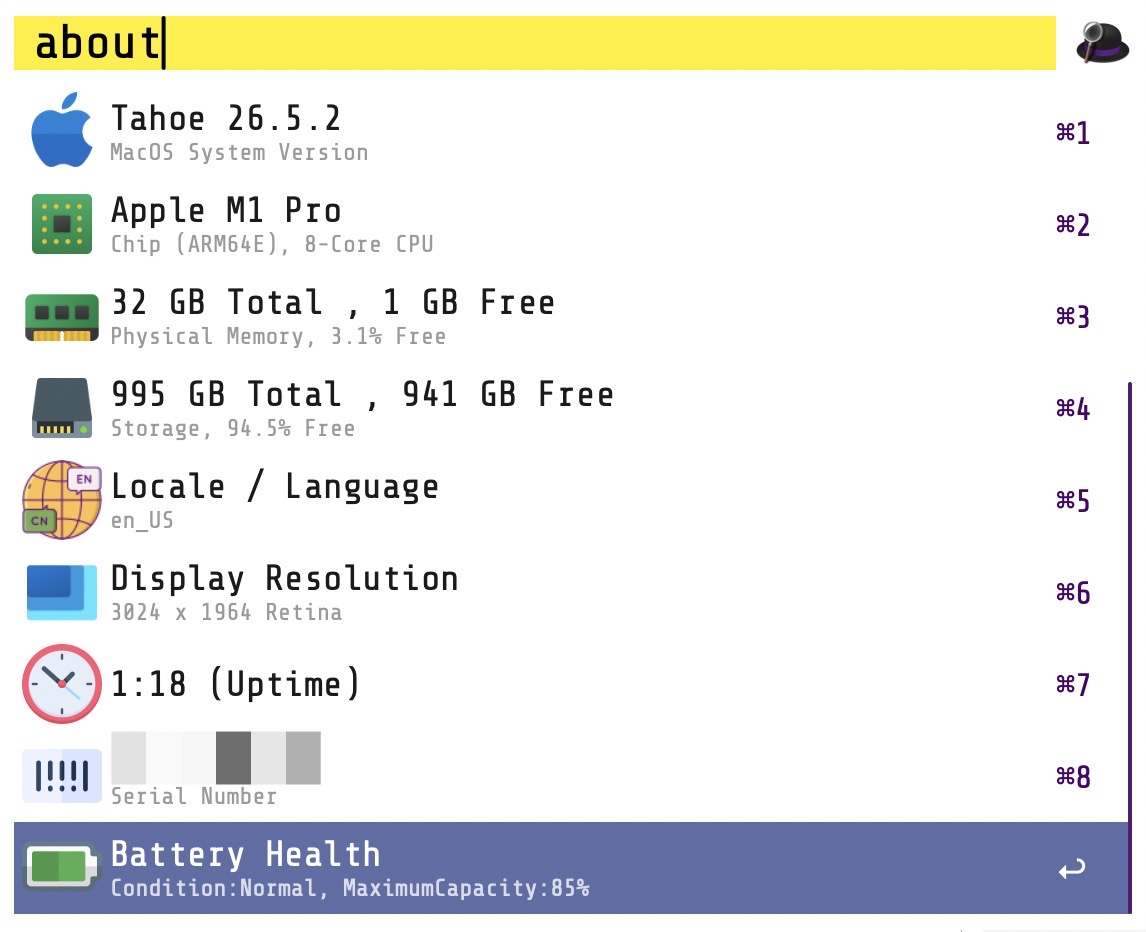
This Workflow displays your Mac’s specs right from within Alfred. With it, I no longer need to visit System Settings. Quickly identify macOS version number, memory, storage, resolution, uptime and more by simply typing about within Alfred’s text field.
Text expansion is my most frequently used Mac automation. Instead of typing in the same phrases over and over again, I can distill them into text expansion macros.
For example, if I were to type a small snippet, such as:
;wel
it will expand to:
Welcome to the course! Please make sure to review the syllabus and purchase the text we will be using this term. I look forward to seeing you in class.

Best,


Prof. Krishna
In a nutshell, I simply type in a few characters, and out comes some boilerplate text. Pretty nifty, right?
Prior to setting up my new M5 Pro MacBook Pro (aka FrugalMac), I used a commercially available Mac text expansion app called Typinator. I’ve used Typinator for almost a decade at this point. It’s excellent at what it does, but it’s mostly overkill for my needs.
Instead of blindly installing Typinator onto my new Mac, I dug in a little deeper to investigate whether text expansion capabilities were already present within the software currently available on my laptop.
Lo and behold, they were!
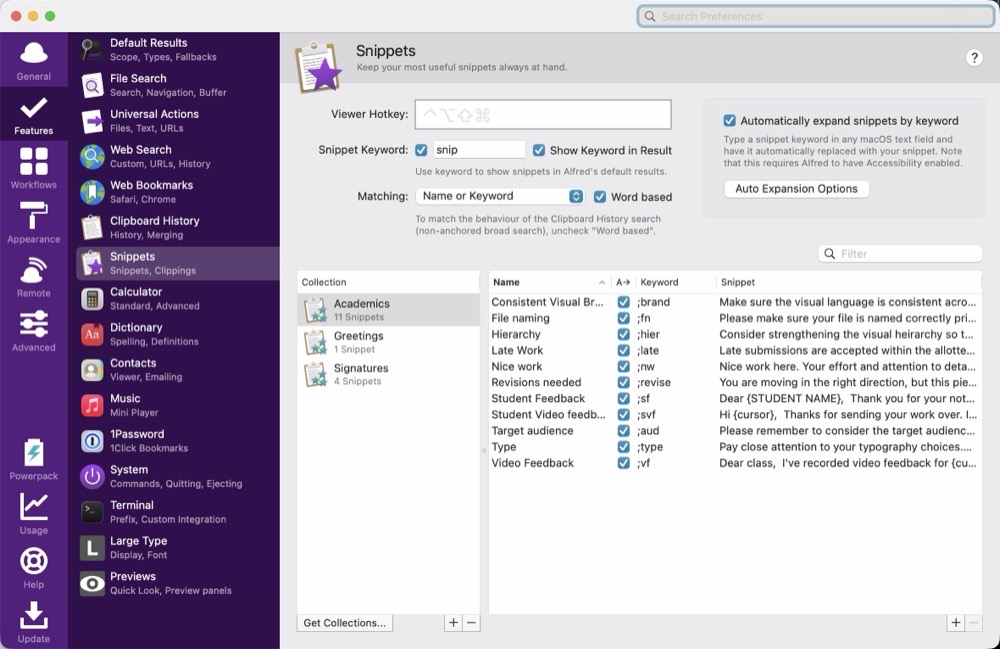
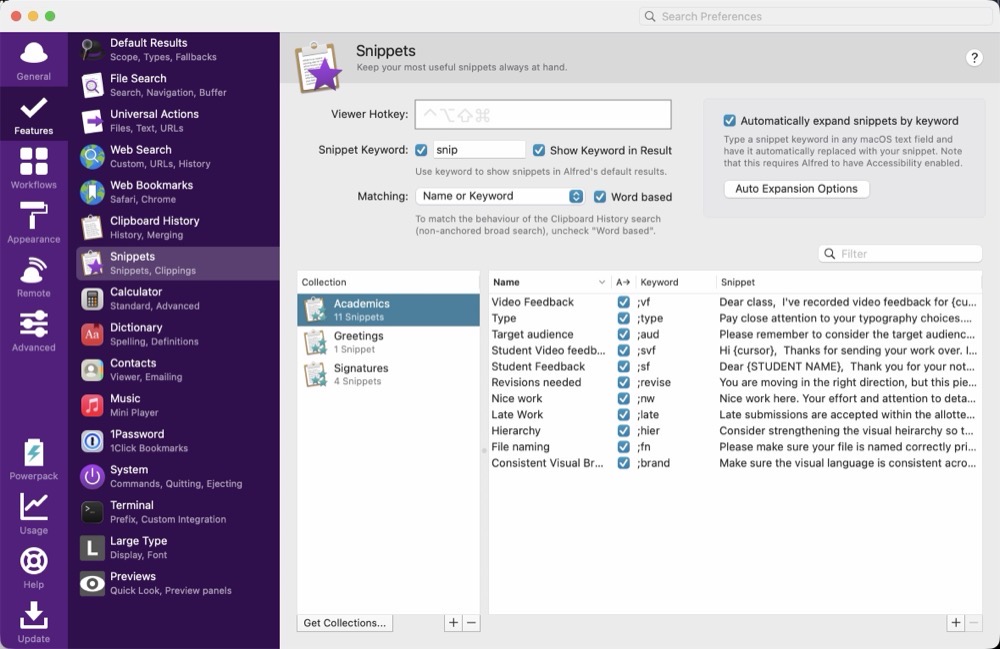
Alfred’s PowerPack includes text expansion capabilities. They’re located inside Alfred’s Preferences panel, within Features > Snippets. Snippets can be organized into Collections. In my case, my Signatures Collection includes custom e-mail signoffs. I have different sign-offs depending upon whether I’m replying to a student or a colleague. I have set up an Academics Collection which includes commonly used phrases that I frequently use when responding to common inquries from my students.
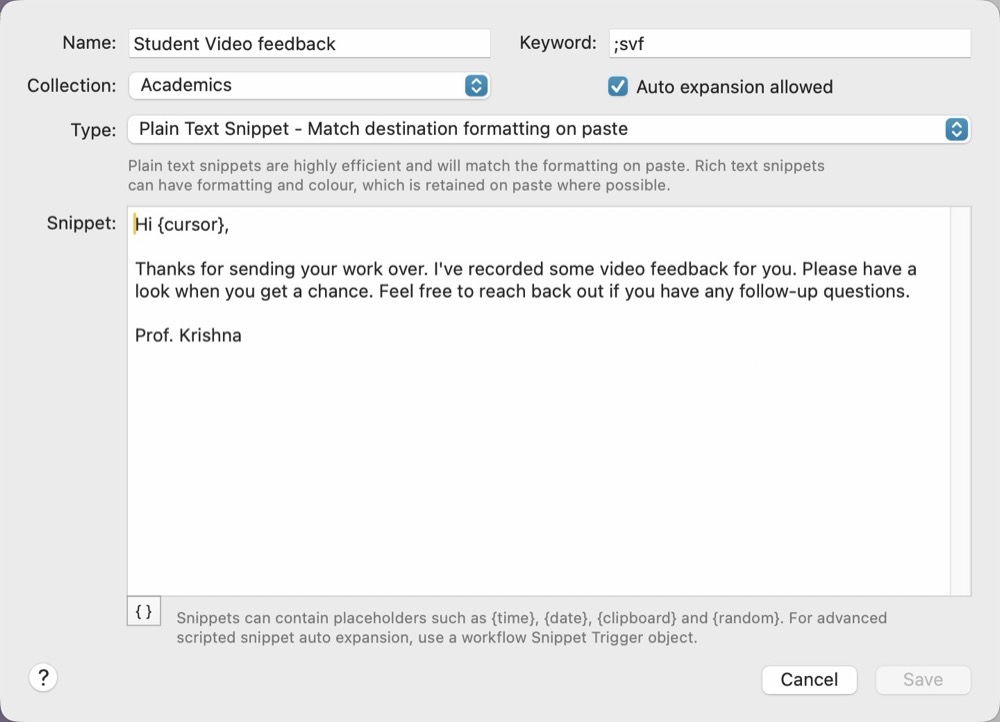
Within each collection are related snippets. Below is a screenshot showing one of my custom snippets. The keyword, in this case, is the trigger. Typing it will cause Alfred to optionally auto-expand with the boilerplate text I’ve provided. One nice convenience with Alfred is the ability to place the cursor where you want, after an expansion. This is done by way of the {cursor} argument. Once the expansion is complete, the cursor automatically moves to where the {cursor} argument is located. I can quickly type in the student’s first name, without having to skip a beat.
Alfred does 90% of what I want in terms of its text expansion capabilities. It would be terrific if I could add dynamic input during a text expansion, as Typinator already provides, but it’s not a deal breaker. I have to admit that there’s a certain sense of satisfaction in making the most out of what I already have.
There is no shortage of Mac launcher apps available. But in the end, after carefully weighing my options, I’ve decided to stick with the venerable Alfred.
How long have I been using Alfred?
Since October 26, 2010. Almost a decade later, I purchased the Alfred PowerPack. Alfred is a launcher, and PowerPack is a set of powerful features that adds to and extends Alfred’s capabilities.
A few years ago, I purchased David Spark’s excellent Alfred Field Guide, which helped me immensely in understanding the capabilities and power of the combo.
Alfred is a very capable tool, but it’s showing its age in its overall user interface. Alfred has many options to configure it just as you’d like. But without any affordance of a Search bar, it can be daunting to find what I’m looking for.
The PowerPack extends Alfred by way of customized workflows. Conceptually, I understand what a workflow can do, but it still feels unintuitive for me to make one on my own.
Alfred includes theming options to configure it’s appearance. Colors, type, margins and the like can be changed on a near granular level, but the interface to do so feels clunky.
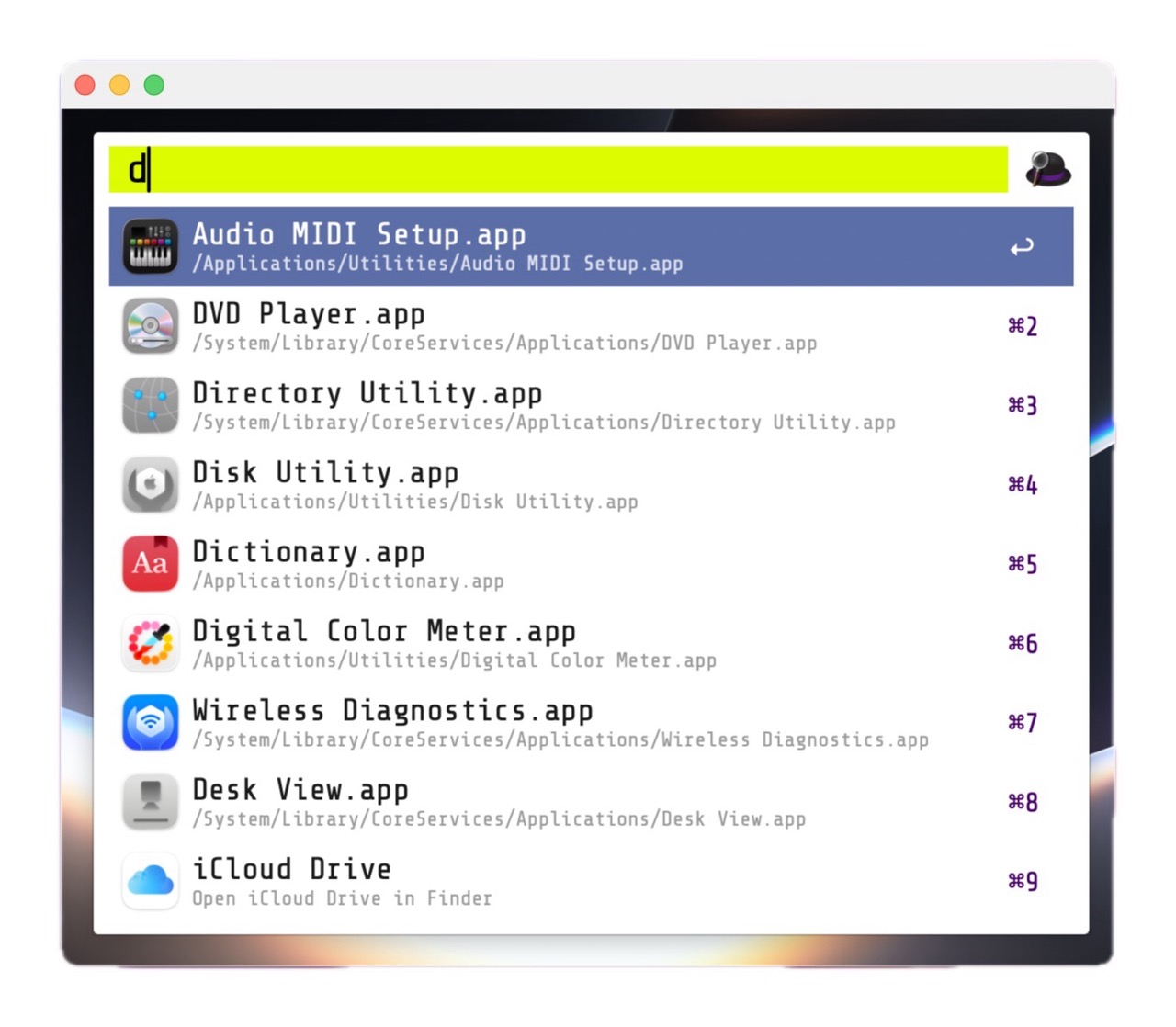
For my M5 Pro MacBook Pro, I’ve intentionally crafted a custom theme for Alfred, called BattleBeast. It uses the Google Font ShareTechMono. I prefer a clean, minimal look, with tight margins – and I feel that the BattleBeast theme reflects those decisions.
Alfred’s developers have teased the upcoming Alfred 6, which I’m eagerly anticipating. I’m hoping that Alfred’s Workflows receive an overhaul and that the UI complexity gets some much needed refinement.
Let’s talk about macOS File Sharing, an option I use almost daily. On macOS, File Sharing lives under:
System Settings → General → Sharing → File Sharing
That method works fine if you only need to toggle it occasionally. But I need File Sharing ON when I bring my laptop home, and OFF when I’m about to take it with me when I leave for work. Visiting the System Settings each time to toggle File Sharing was getting tiresome.
So I decided to do something about it.
Below is a custom Alfred Workflow I made called File Sharing Toggle that I’ve tested on both Macs at home.
My Alfred Workflow has three options:
Turn File Sharing ON
Turn File Sharing OFF
Check File Sharing Status
The ON/OFF actions toggle File Sharing appropriately and displays a dialog box showing the current File Sharing state. A separate Status action displays a dialog box showing the result of a query on the current File Sharing state.
My workflow uses macOS shell commands and will ask for your administrator password when turning File Sharing on or off. (It’s a small price to pay for the convenience.)
Step 1: Create a New Alfred Workflow
Open:
Alfred Preferences → Workflows
Click the + button and choose:
Blank Workflow
Name it something like:
Toggle File Sharing
Step 2: Add a Keyword Trigger
Right-click in the workflow canvas and choose:
Inputs → Keyword
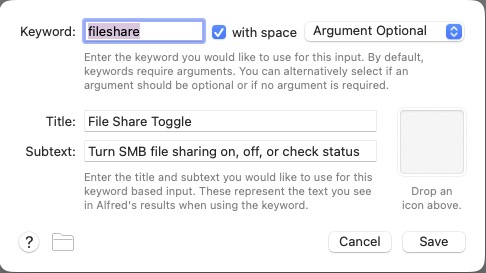
Use these settings:
Keyword: fileshare
Title: File Sharing Toggle
Subtext: Turn SMB File Sharing on, off, or check status
Argument: Argument Optional
Screenshot
Click Save.
Step 3: Add a List Filter
Right-click the canvas and choose:
Inputs → List Filter
Connect the Keyword object to the List Filter.
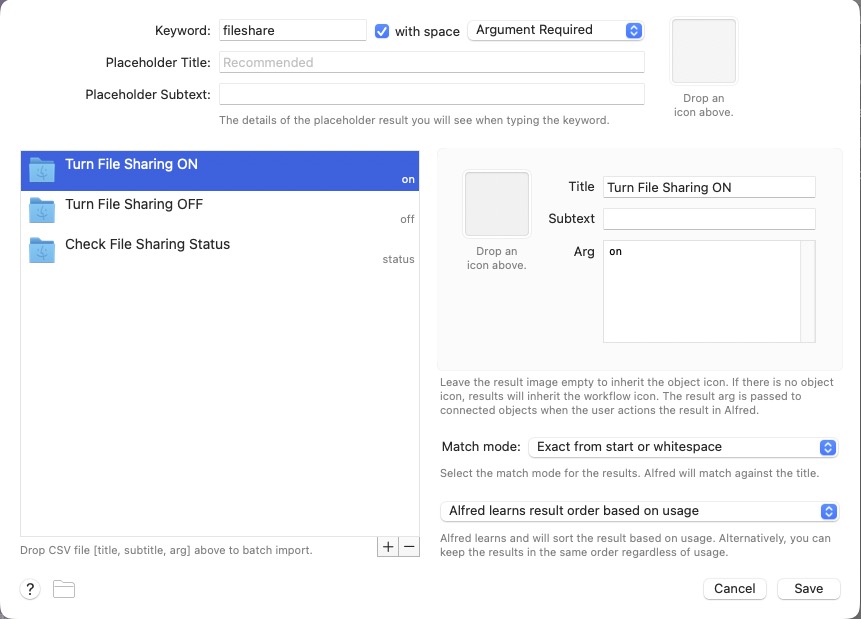
Set the Keyword to fileshare and Argument Required. Then add these three list items.
Item 1
Title: Turn File Sharing ON
Arg: on
Item 2
Title: Turn File Sharing OFF
Arg: off
Item 3
Title: Check File Sharing Status
Arg: status
Screenshot
Click Save.
Step 4: Add a Run Script Action
Right-click the canvas and choose:
Actions → Run Script
Connect the List Filter to the Run Script action.
Use these settings:
Language: /bin/zsh
with input as: argv
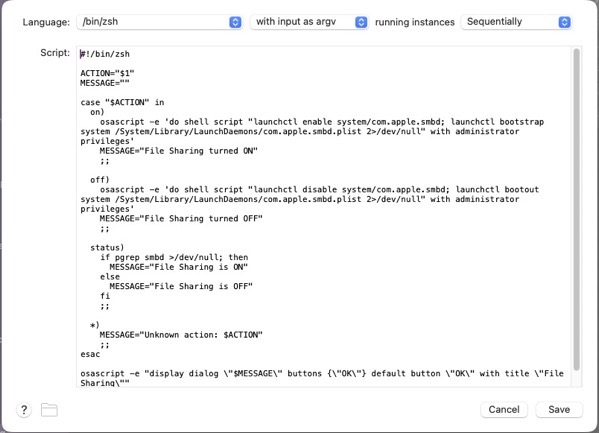
Paste this script:
#!/bin/zsh

ACTION="$1"
MESSAGE=""

case "$ACTION" in
  on)
    osascript -e 'do shell script "launchctl enable system/com.apple.smbd; launchctl bootstrap system /System/Library/LaunchDaemons/com.apple.smbd.plist 2>/dev/null" with administrator privileges'
    MESSAGE="File Sharing turned ON"
    osascript -e "display notification \"$MESSAGE\" with title \"File Sharing\""
    ;;

  off)
    osascript -e 'do shell script "launchctl disable system/com.apple.smbd; launchctl bootout system /System/Library/LaunchDaemons/com.apple.smbd.plist 2>/dev/null" with administrator privileges'
    MESSAGE="File Sharing turned OFF"
    osascript -e "display notification \"$MESSAGE\" with title \"File Sharing\""
    ;;

  status)
    if /usr/bin/pgrep smbd >/dev/null 2>&1; then
      MESSAGE="File Sharing is ON"
    else
      MESSAGE="File Sharing is OFF"
    fi
    osascript -e "display dialog \"$MESSAGE\" buttons {\"OK\"} default button \"OK\" with title \"File Sharing\""
    ;;

  *)
    MESSAGE="Unknown action: $ACTION"
    osascript -e "display dialog \"$MESSAGE\" buttons {\"OK\"} default button \"OK\" with title \"File Sharing\""
    ;;
esac

echo "$MESSAGE"
Click Save.
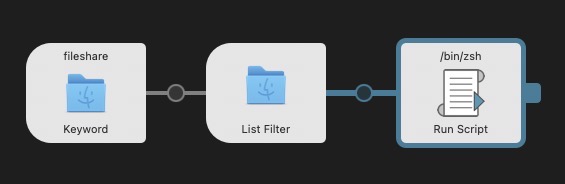
Your final Alfred Workflow Object Chain should look like this:
Step 5: Test the Workflow
Bring up Alfred and type:
fileshare
You should see three options:
Turn File Sharing ON
Turn File Sharing OFF
Check File Sharing Status
Select Turn File Sharing ON. macOS will prompt for your administrator password, and you should see a notification:
File Sharing turned ON
Select Turn File Sharing OFF to disable it, and choose Check File Sharing Status to see a dialog with the current state.
Status Dialogs
Switching File Sharing states (ON/OFF) will show a dialog indicating the updated state. Checking File Sharing status will show the current File Sharing state.
How the Script Works
The workflow interacts with the macOS SMB service:
com.apple.smbd
To enable File Sharing:
launchctl enable system/com.apple.smbd
launchctl bootstrap system /System/Library/LaunchDaemons/com.apple.smbd.plist
To disable it:
launchctl disable system/com.apple.smbd
launchctl bootout system /System/Library/LaunchDaemons/com.apple.smbd.plist
Status is determined by checking if the SMB daemon is running:
/usr/bin/pgrep smbd
Final Result
Toggle file sharing on with a simple Alfred command.
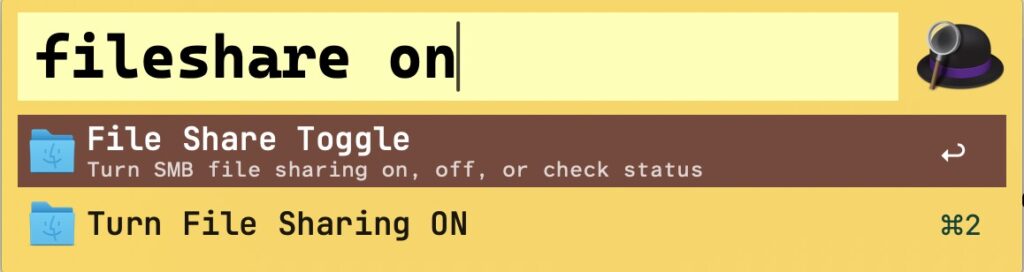
Now you can type fileshare on in Alfred to quickly toggle File Sharing ON. Similarly fileshare off turns File Sharing OFF. And fileshare status will check its current state— no need to root around inside System Settings.
(I did use AI to help me in writing the shell script.)
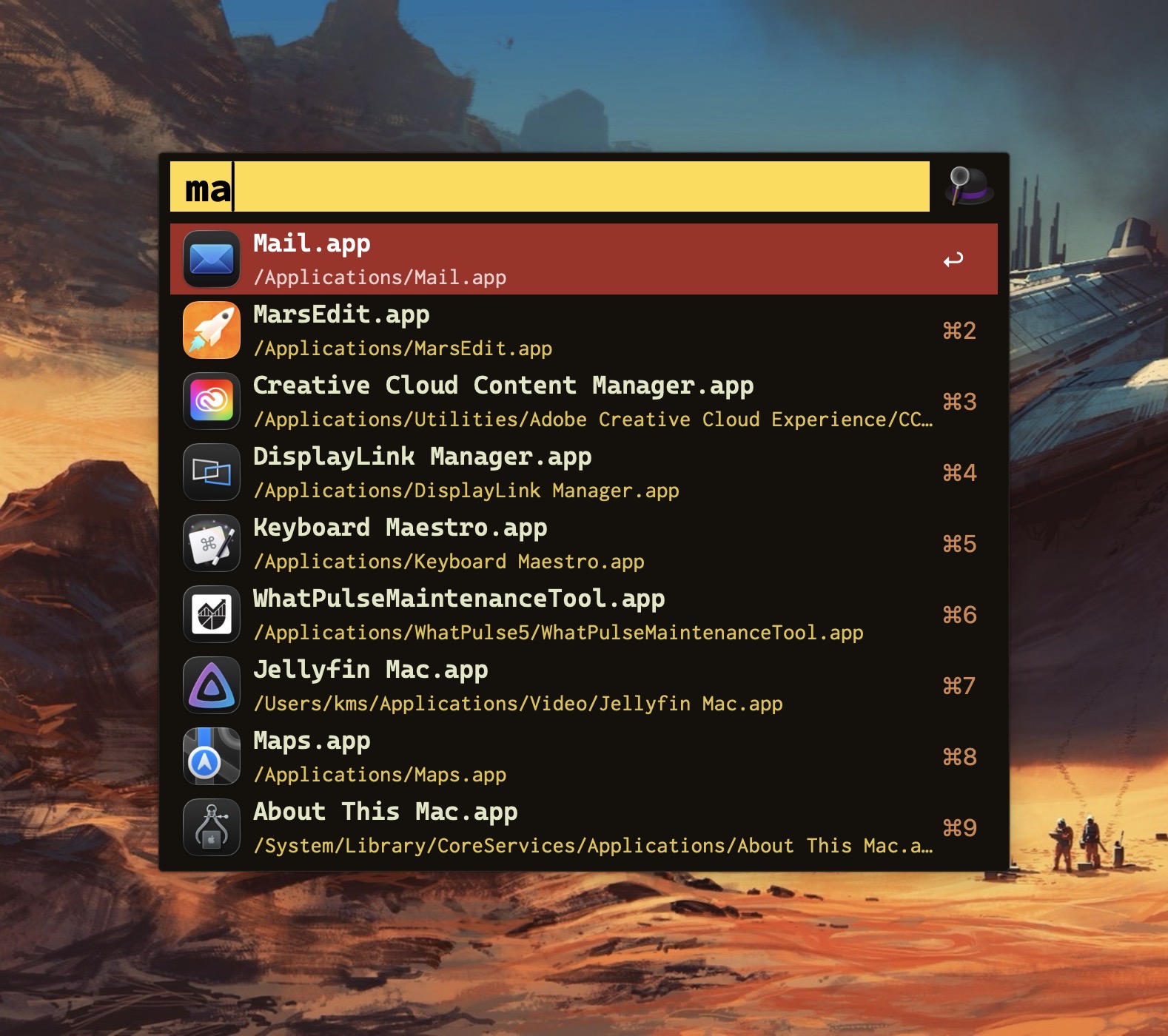
My launcher of choice is Alfred, which I use for a variety of tasks: launching apps, file navigation, running terminal commands,searching the web, etc. As a power user, it’s efficient (and, dare I say, liberating) to perform these operations entirely from the keyboard.
Alfred’s power comes in the form of its extensibility, thanks to the (optional) Alfred Powerpack. Think of the Powerpack as a turbo-charger that integrates seamlessly with Alfred’s main engine. I’ve used Alfred for almost a decade; I can’t imagine sitting at a Mac that doesn’t have it.
So if Alfred’s the cat’s meow, why use Raycast?
Simply put: window management.
Raycast includes several useful window management configurations; each can be assigned a customized hotkey.
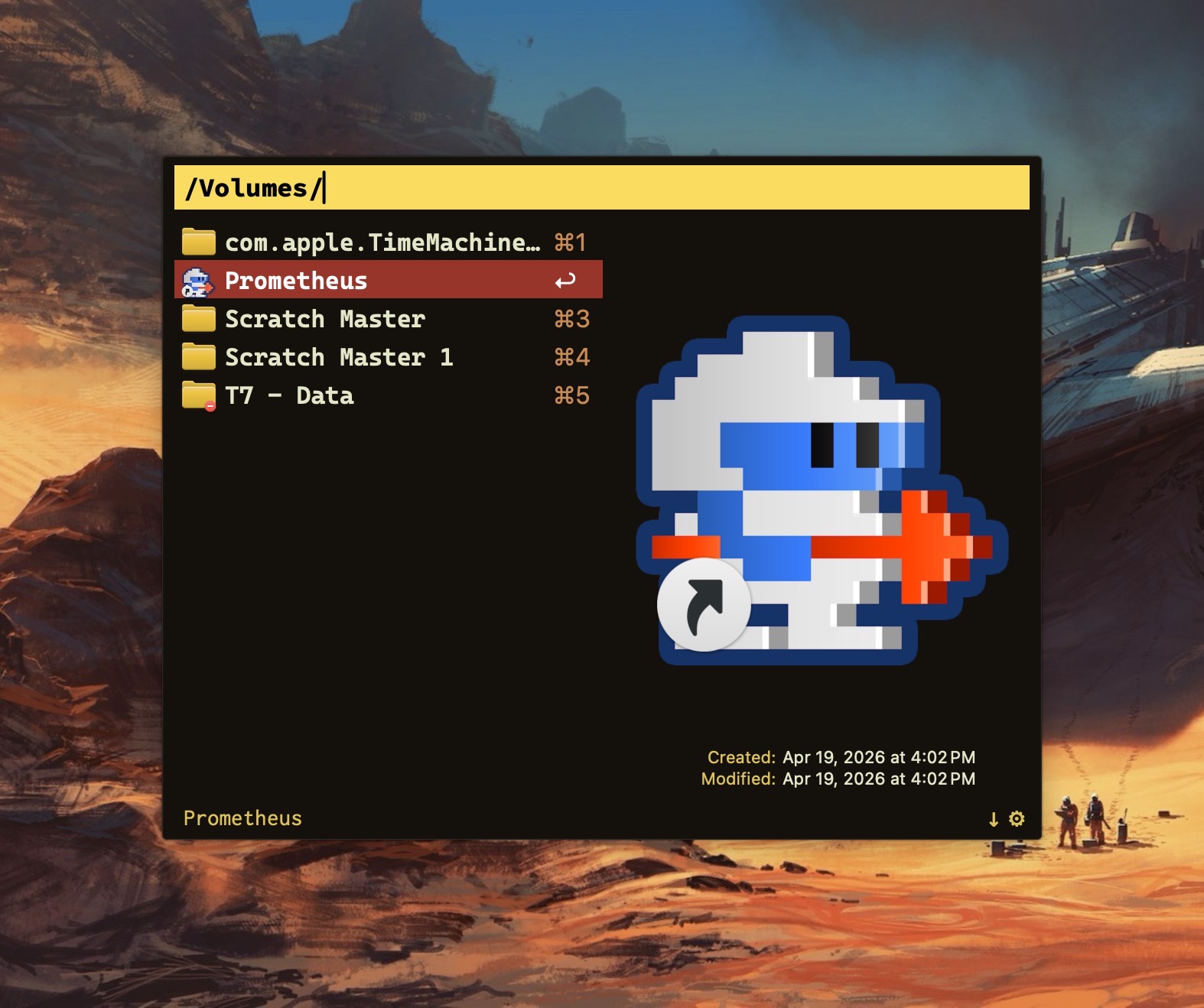
Why not switch from Alfred to Raycast then? Raycast lacks the ability to traverse my Finder files in the same way that Alfred does.
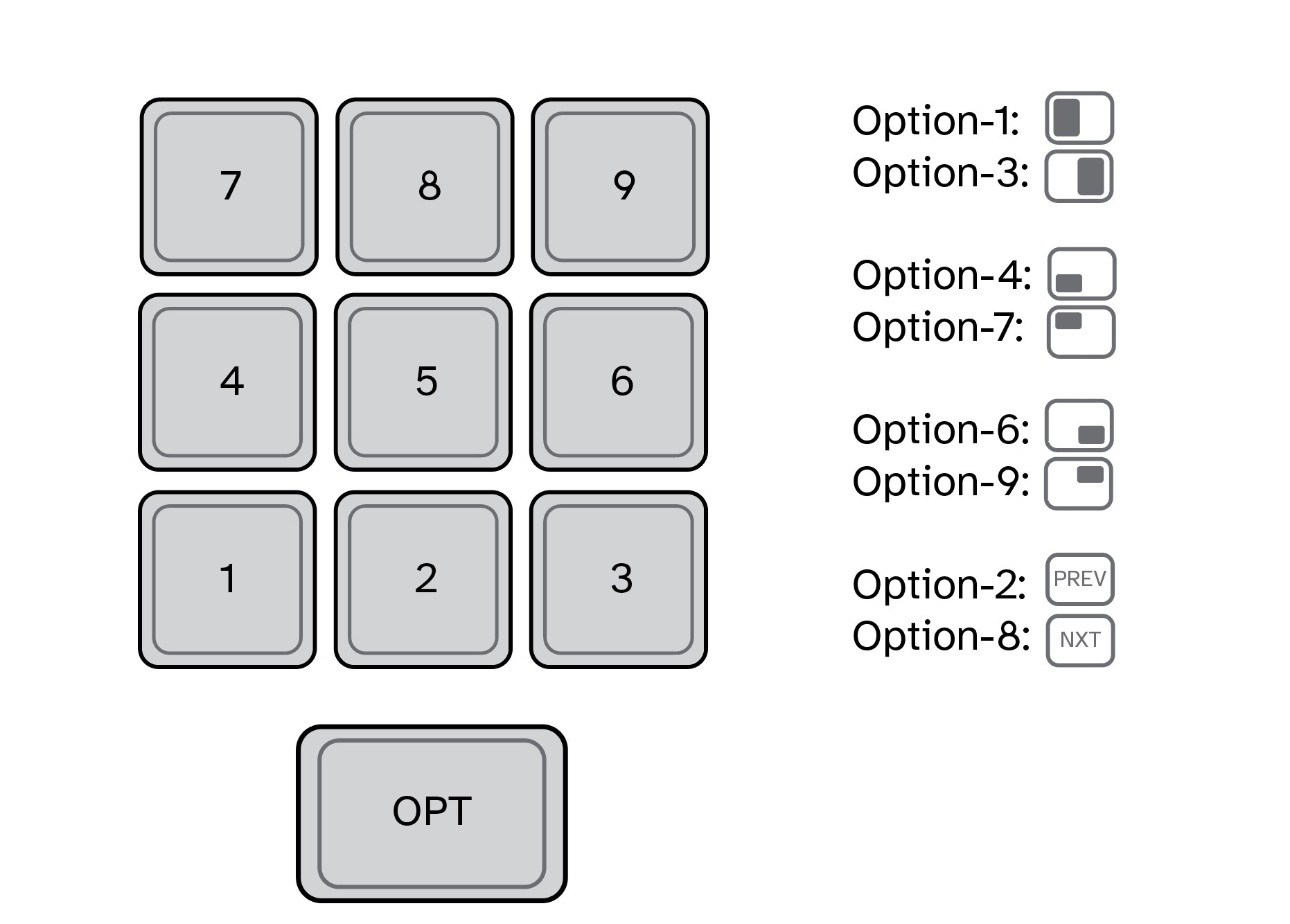
For visualization purposes, I’ve mapped my custom window management hotkeys to a numeric keypad (see below). They also work fine when used with a standard keyboard.
In my Raycast configuration, pressing Option-1 moves the active window to take up the left half of my Mac’s display. Option-3 moves the active window to the right half. I use these two hotkeys the most, so they are configured for easy reach. (I use keyboards with built-in numeric keypads.)
In my view, hotkey assignments are only useful if they’re memorable. The quadrant hotkeys are easy to remember because they are spatially correlated. On a numeric keypad, 4 is in the lower left, 7 is on the upper left, 6 is on the lower right, and 9 is on the upper right.
I use multiple displays with my MacBook Pro, both at home and at work. To move an active window to the screen on my left, I press Option-2. Pressing this keystroke successively will cycle the window counterclockwise across each of my three displays. Likewise, pressing Option-8 will move an active window to the screen on my right. Option-5 (not shown above) puts the active window in the center.
I’ve gotten so accustomed to using my keyboard to move windows around my Mac that manually selecting and sizing an active window with my mouse feels downright barbaric.
Alfred is free. The Alfred Powerpack is a paid upgrade (well worth it, in my opinion.) Raycast has free and pro versions, but the free version meets my needs.
If you find yourself needing more than what Spotlight gives, you have options.