
In my last post, I prepared my G-mail accounts for use with Apple Mail. Today, as promised, I’m sharing my Apple Mail settings along with some accompanying rationale.
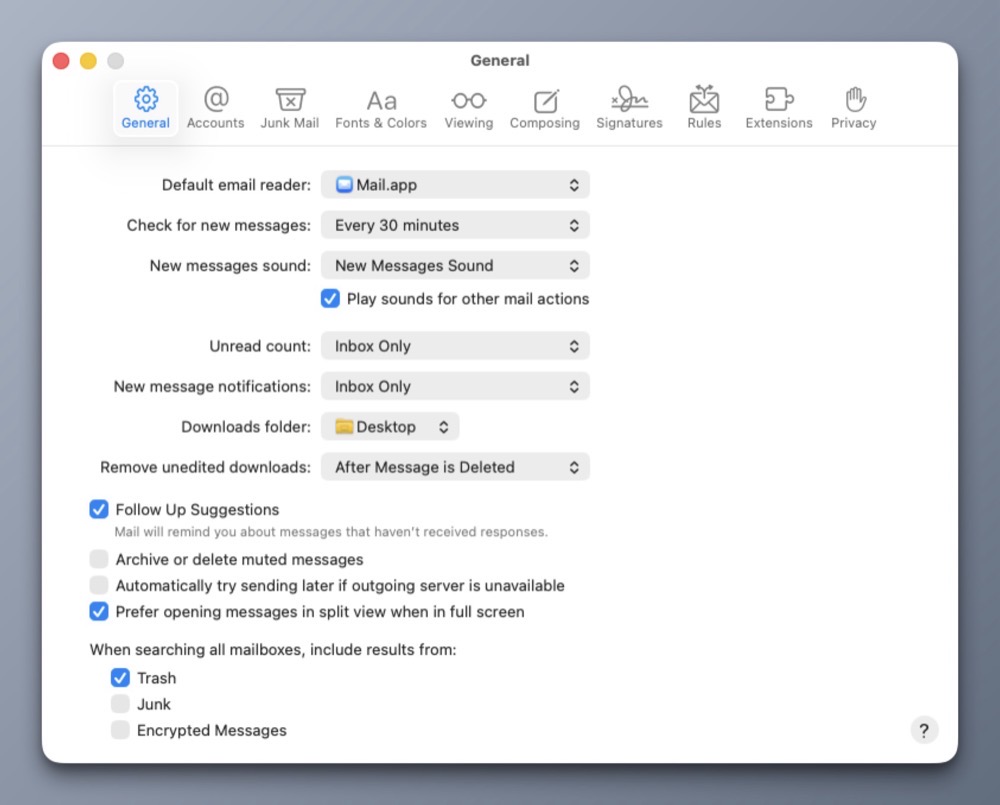
In the General tab, I’ve made three changes.
1) Fetch new email every 30 minutes from both G-mail accounts. For me, any value less than 30 minutes feels masochistic.
2) Downloadable content will appear on my Desktop. This saves me a trip to the Downloads folder.
3) Follow-up suggestions are checked ON so I can be reminded when I haven’t received a response.
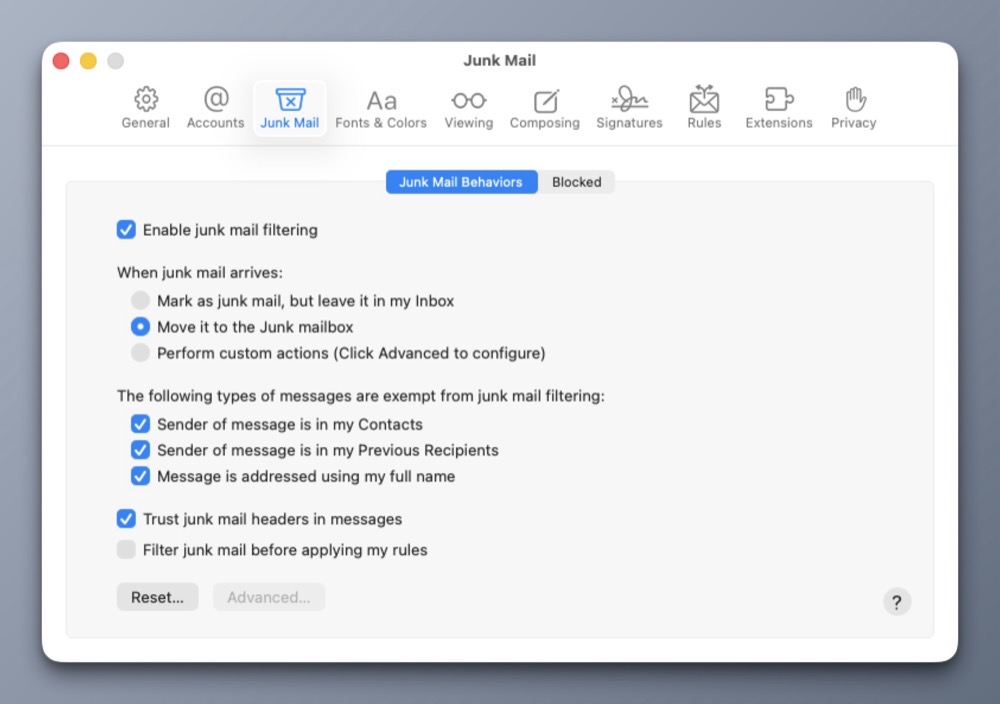
Moving to the Junk Mail tab, I have Junk Mail filtering ON with all default settings. It seems to work OK.
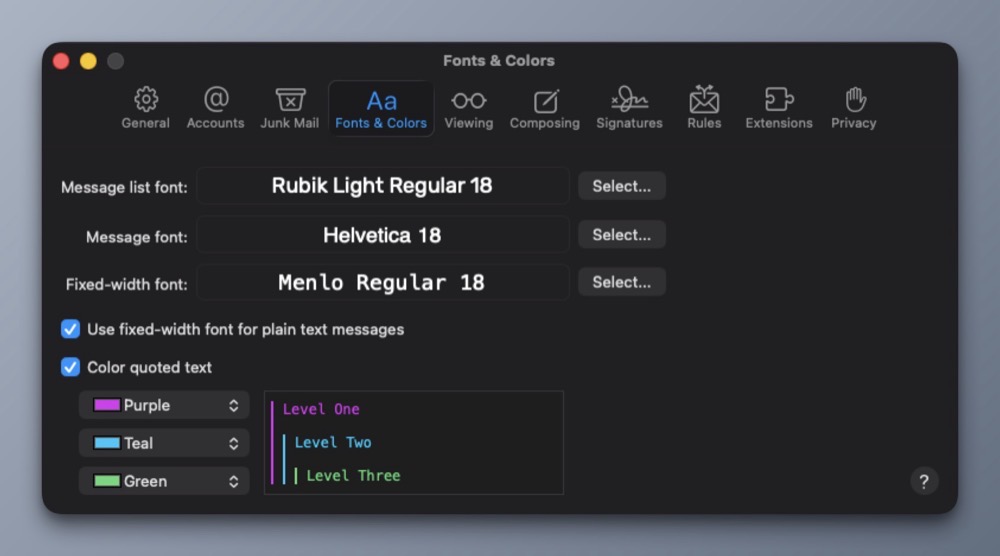
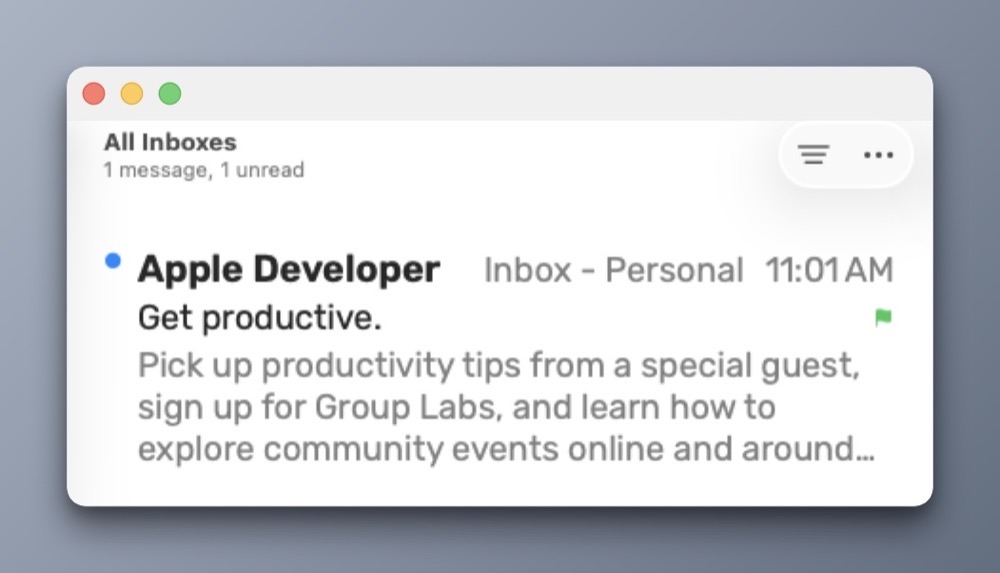
For Fonts and Colors, I prefer Rubik Light Regular as my message list font. It’s a clean sans serif typeface that’s easy on my eyes. And speaking of eyes, I’ve bumped the point sizes to 18 to minimize eye strain.
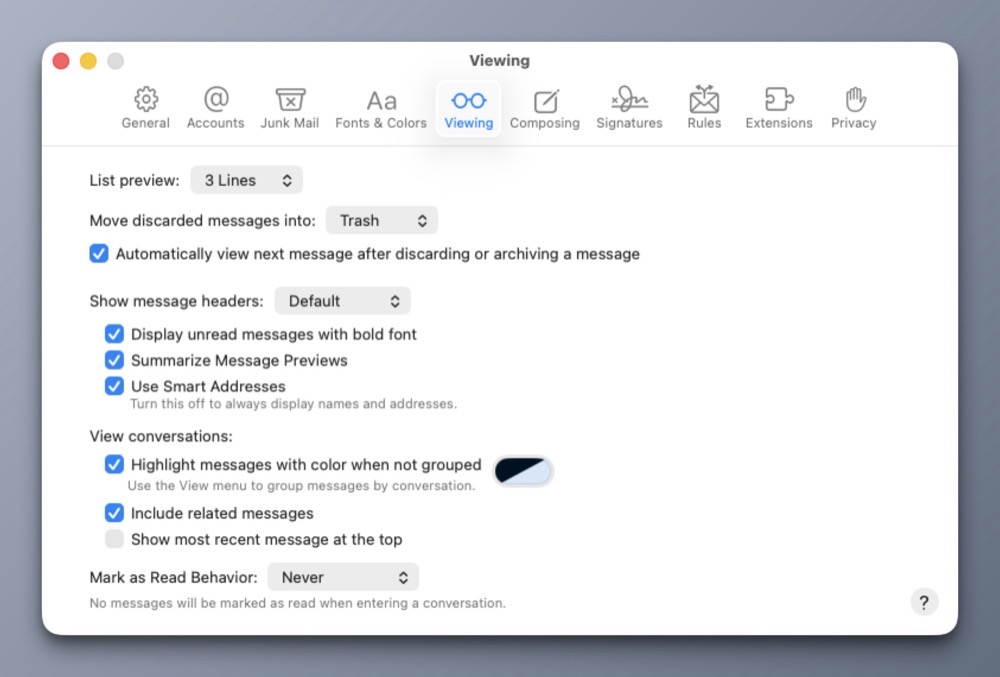
For Viewing, I prefer 3 preview lines for each email. I’ve also turned on Smart Addresses.
Below is a visual example of what the above settings look like when an email arrives in my InBox.
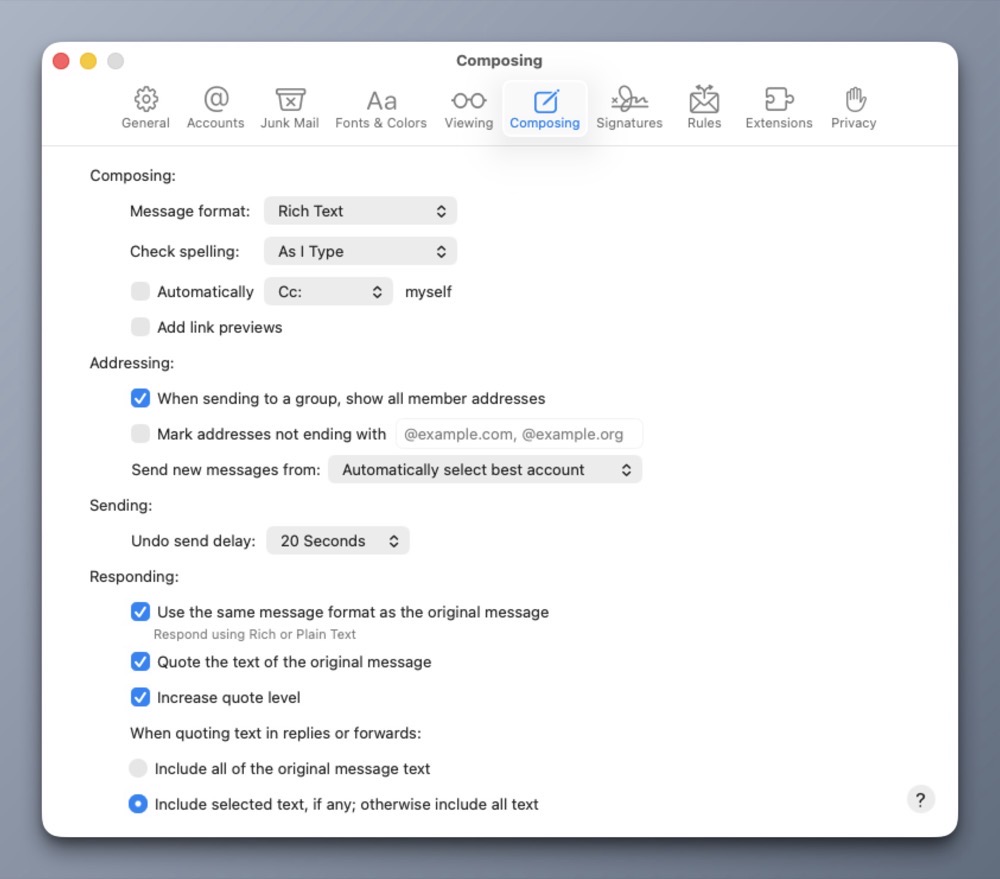
In the Composing tab, I’ve set the message format to Rich Text, keeping all other settings at their defaults.
Within the Signatures tab, I have custom text signatures set for each of my accounts, and the signature is placed above the quoted text, because I’m not an animal. I have yet to configure the Rules tab with custom settings, but I did delete the Apple provided rule.
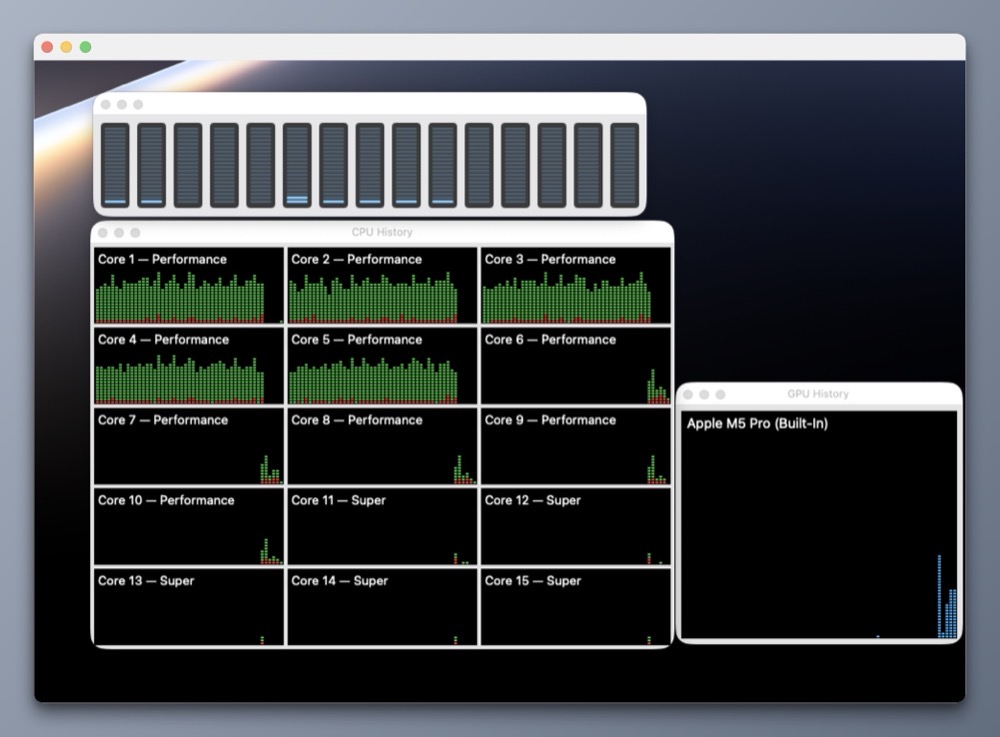
As a footnote, it took several hours to import my email into Apple Mail, even with the task utilizing five full cores of my laptop’s M5 Pro CPU.
-Krishna