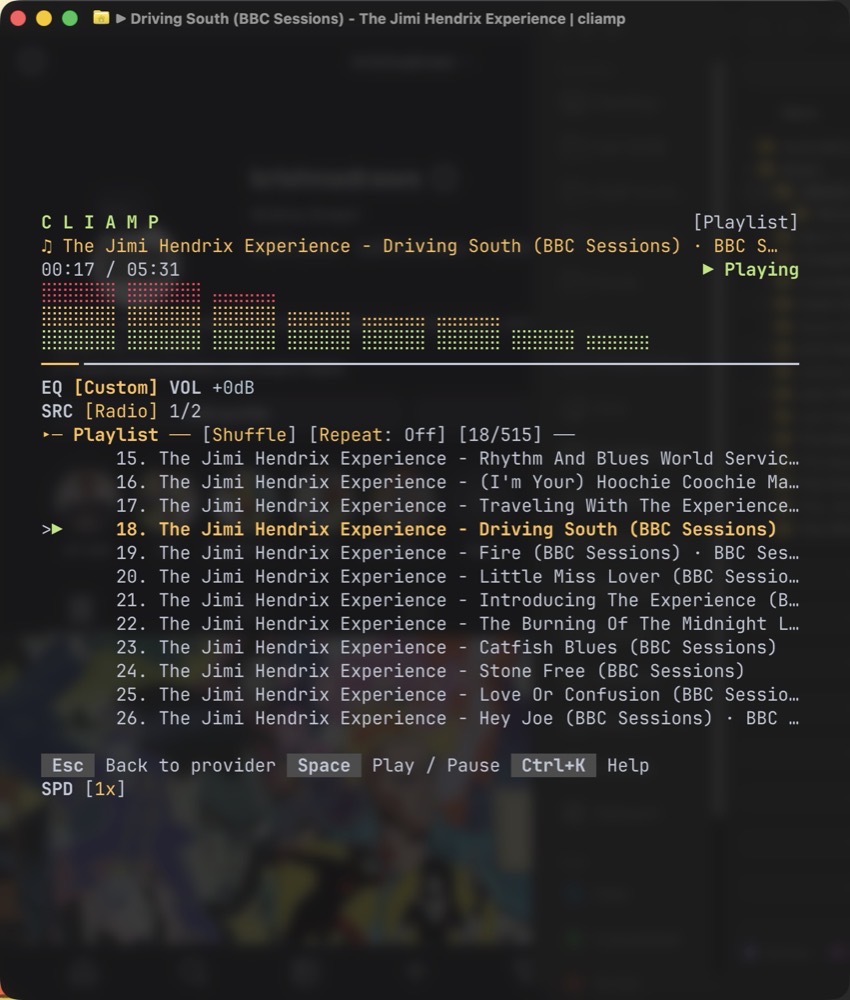
The late ’90s and early aughts were an exciting time for digital music. Before Apple Music, there was iTunes. And before iTunes there was WinAmp – arguably the most popular music player in the world at one point.
Why?
There are several reasons that come to mind.
- It came in at the height of the MP3 revolution.
- It was light and nimble with no bloat.
- It handled multiple music file formats with aplomb.
- It let users organize their own local music library.
- It was customizable.
That last point is important. Customization was a huge factor in WinAmp’s popularity. Users could easily change WinAmp’s look by applying different skins.
Fast forward 25+ years; things have gotten worse.
Apple Music is a bloated mess. Spotify focuses its player squarely on its streaming service, leaving those of us with large local music libraries out of luck.
But there is a new hope, at least if you’re a little geeky. It’s called Cliamp, and it’s a music player that operates inside your Terminal window. The developer bills Cliamp as “Winamp for your shell” and, based on my testing, that claim seems to be true.
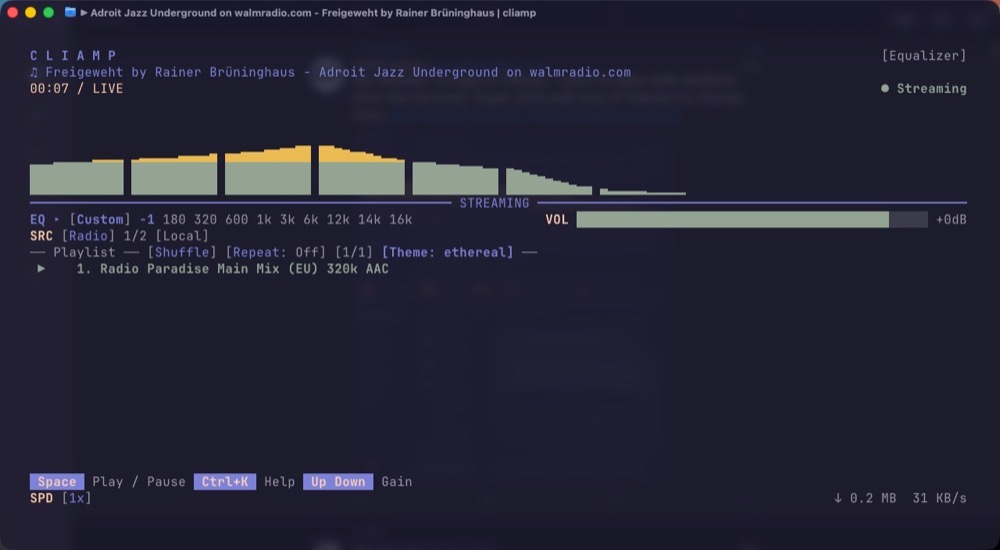
Cliamp plays local music, streamed music (YouTube, Spotify), and more than 30,000 radio stations.
Setting up Cliamp in macOS is easy if you have HomeBrew. Simply point Cliamp to your local Music folder. Since my Music library lives on an external storage device, I have an alias called “music” that runs the following command.
cliamp "/Volumes/ExternalDrive/Music/"
Access Cliamp’s settings at any time via the keystroke Control K. The controls are pretty straight forward.
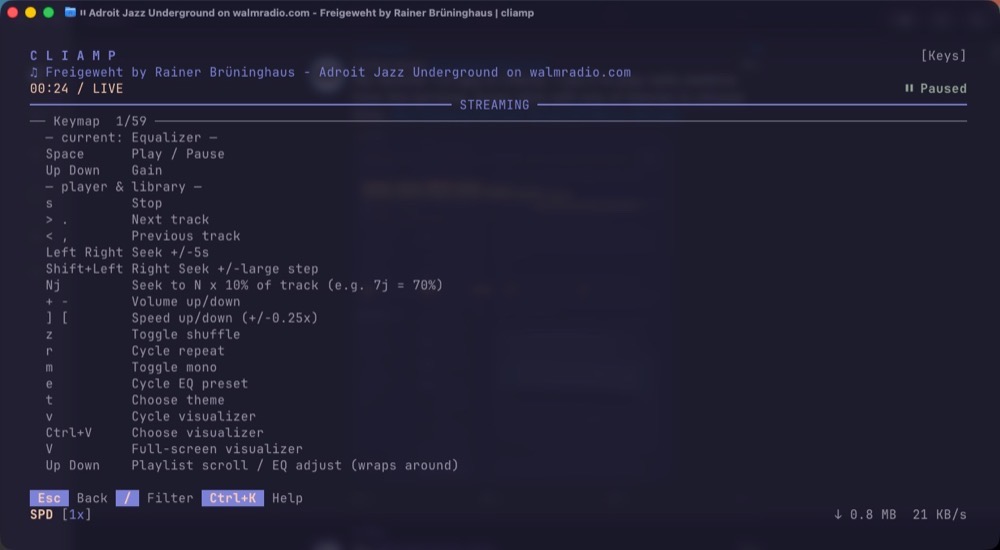
My favorite settings involve customizing the Cliamp’s theme as well as changing the look and feel of the visualizer. Cycle between different visualizers using the ‘v’ key. Visualizers can be made larger by hitting ‘V’.

Cliamp brings back the fun when it comes to playing music on my Mac. To paraphrase a once popular refrain: “(Cliamp) really kicks Apple Music’s ass!”
-Krishna