Tag: desktop backgrounds

  • FrugalMac: Keeping Up Appearances

    FrugalMac: Keeping Up Appearances

    As a long-time Mac user, macOS’s customization options have slowly improved. (More customizing options are still needed.) Let’s start with some basic appearance tweaks, found within Settings > Appearance.

    From the top, I’ve chosen Auto to have my Mac change from light to dark mode, based on time of day.

    However you feel about Liquid Glass, it can’t be replaced in macOS 26. The Tinted option is what I prefer, to improve contrast. I’m sticking with the Default Icon and widget style because, for me, color distinction is critical for quick icon identification. 

    I’ve set my default folder color to yellow, while scroll bars are set to Always. I’m not a fan of Tahoe’s thick scroll bars, but having them always visible lets me know that more options are available if I scroll. While I’m here, I will make the sidebar icon size Large.

    I hope that one day soon that users will have the ability to influence more window color options beyond light and dark variants. (I’m not holding my breath.)
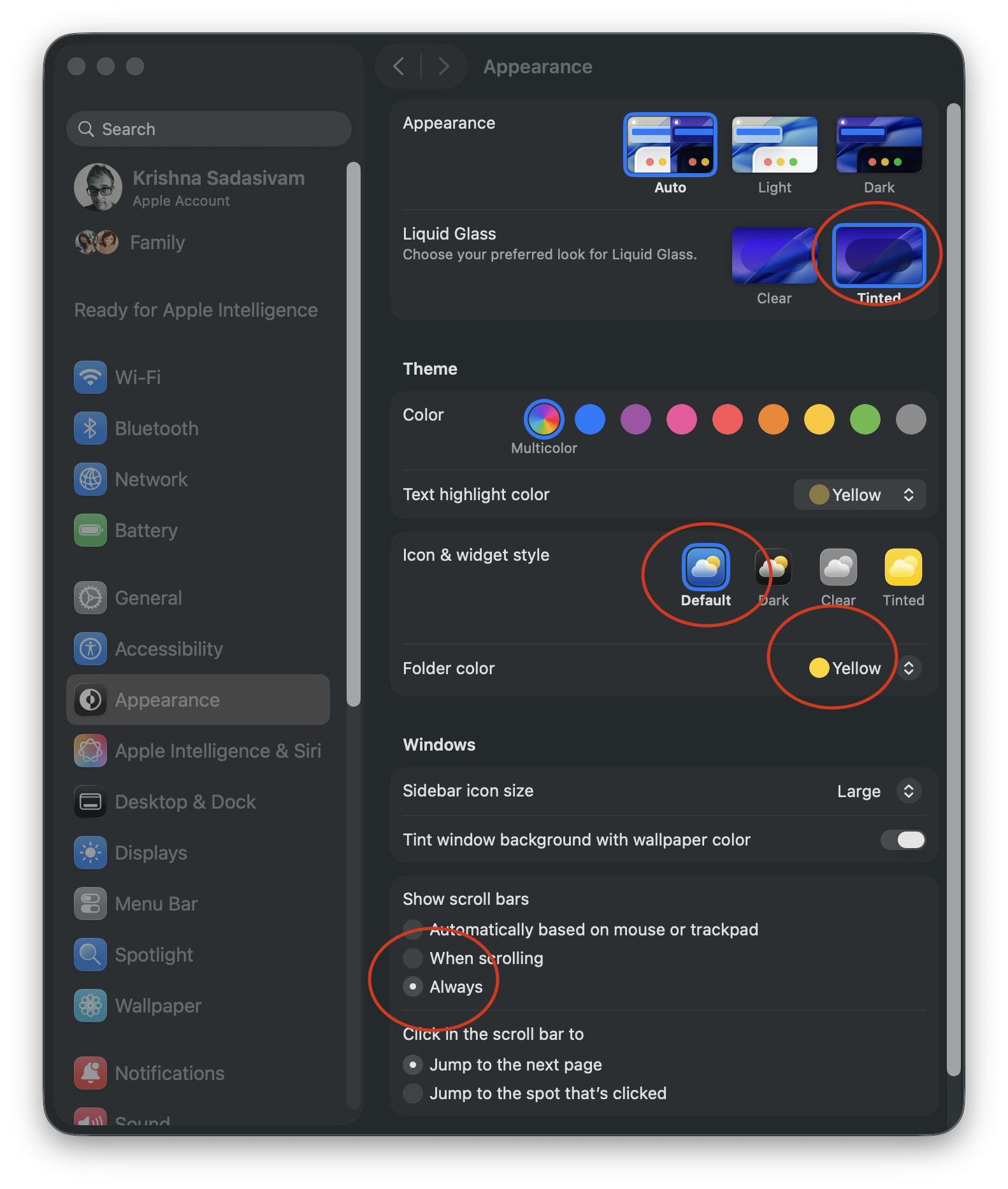
    MacOS Appearance.

    Onto System Settings > Displays, where I have kept most of the default settings. Clicking the Advanced button reveals additional options for showing specific screen resolutions.
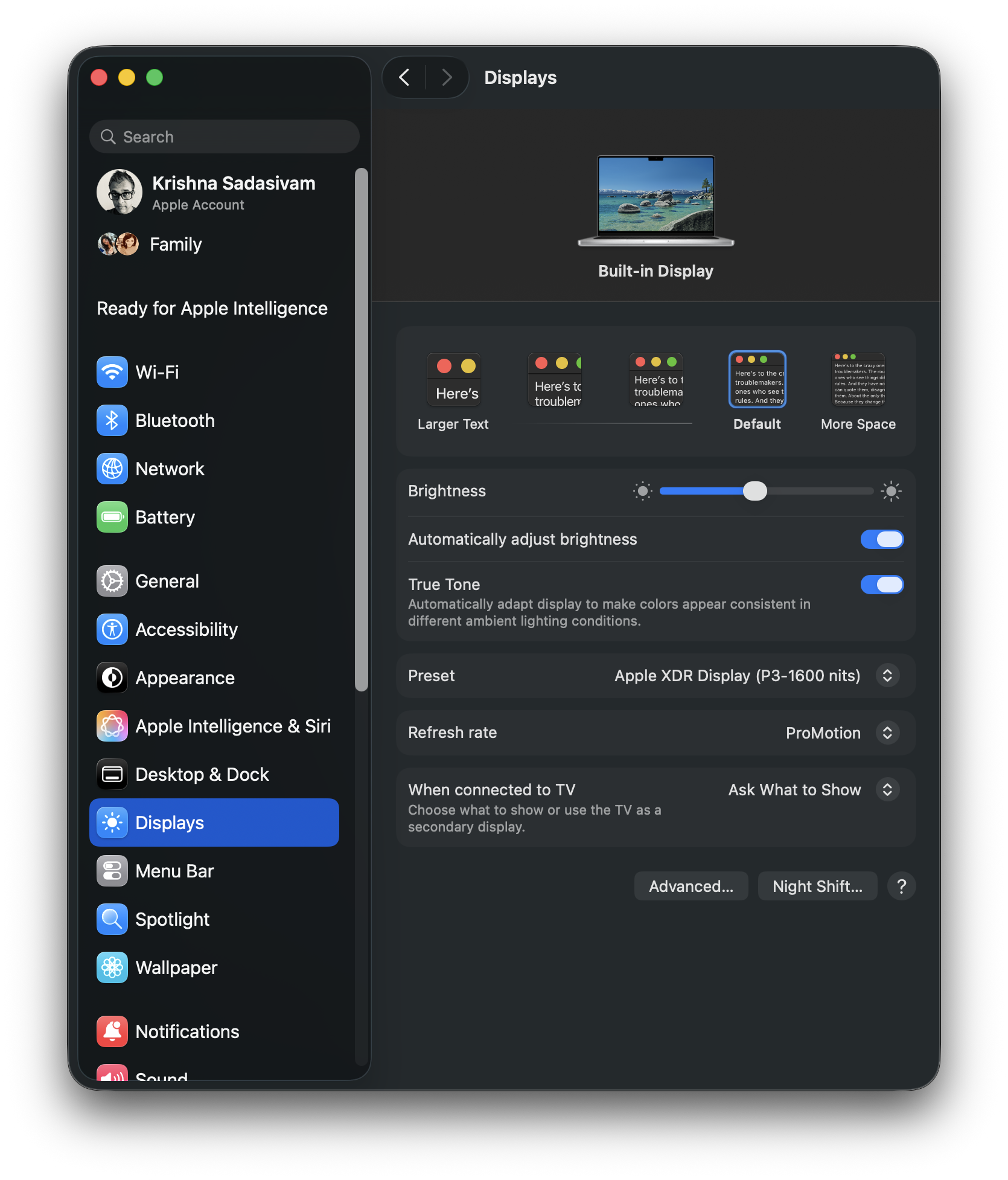
    MacOS Displays.

    Show resolutions as list is ON, and “Allow your pointer and keyboard to move between any nearby Mac or iPad” is turned OFF.  Bizarely, the remaining two options cannot be toggled OFF.
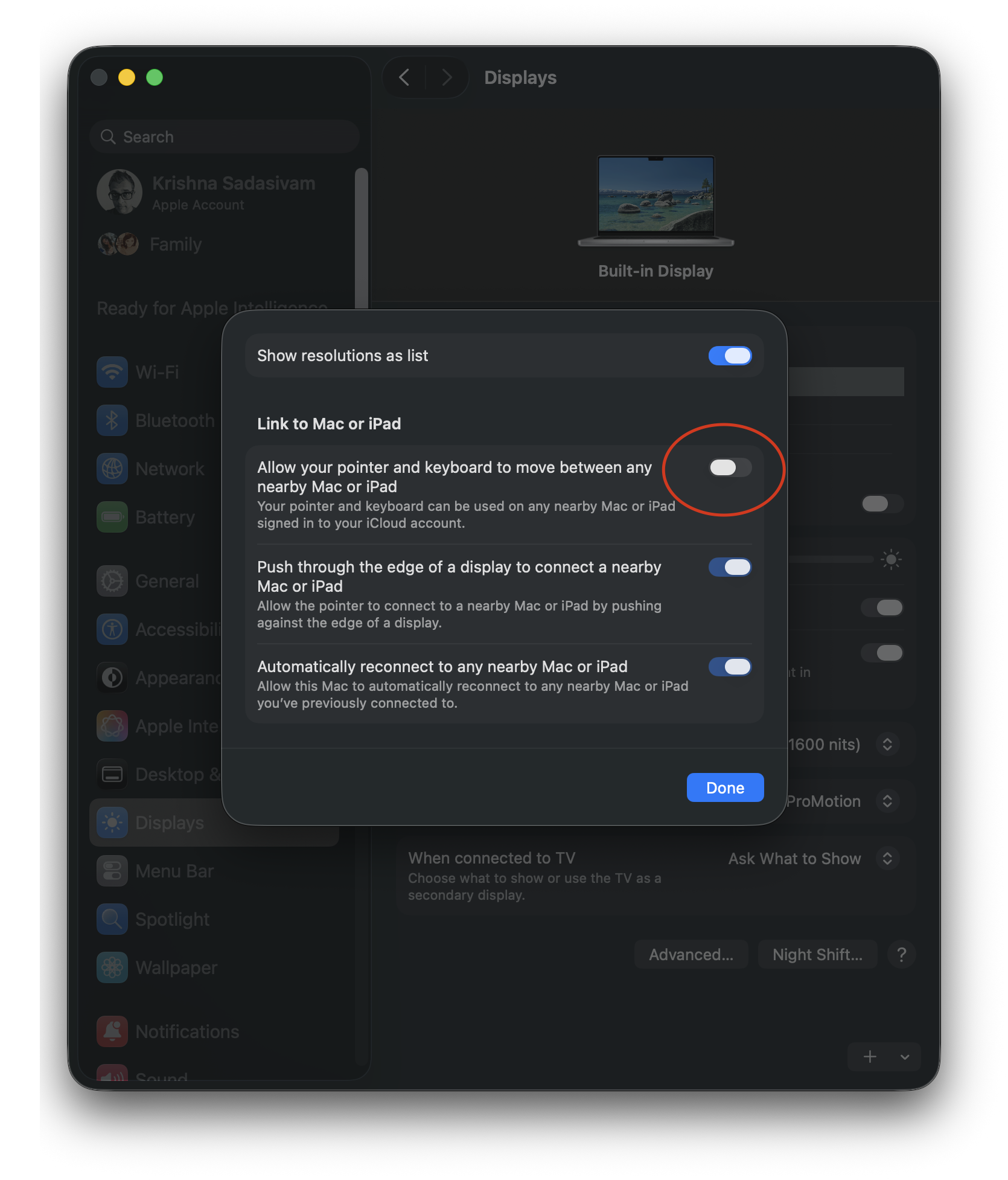
    MacOS Display advanced.

    For  System Settings > Menu Bar, I limit the number of recent documents, apps etc. to 5 instead of 10. I’ve also turned off all menu bar controls, save for Battery. (Some of the menu bar options that are OFF, such as Wi-Fi and Bluetooth, will be placed in Control Center.)
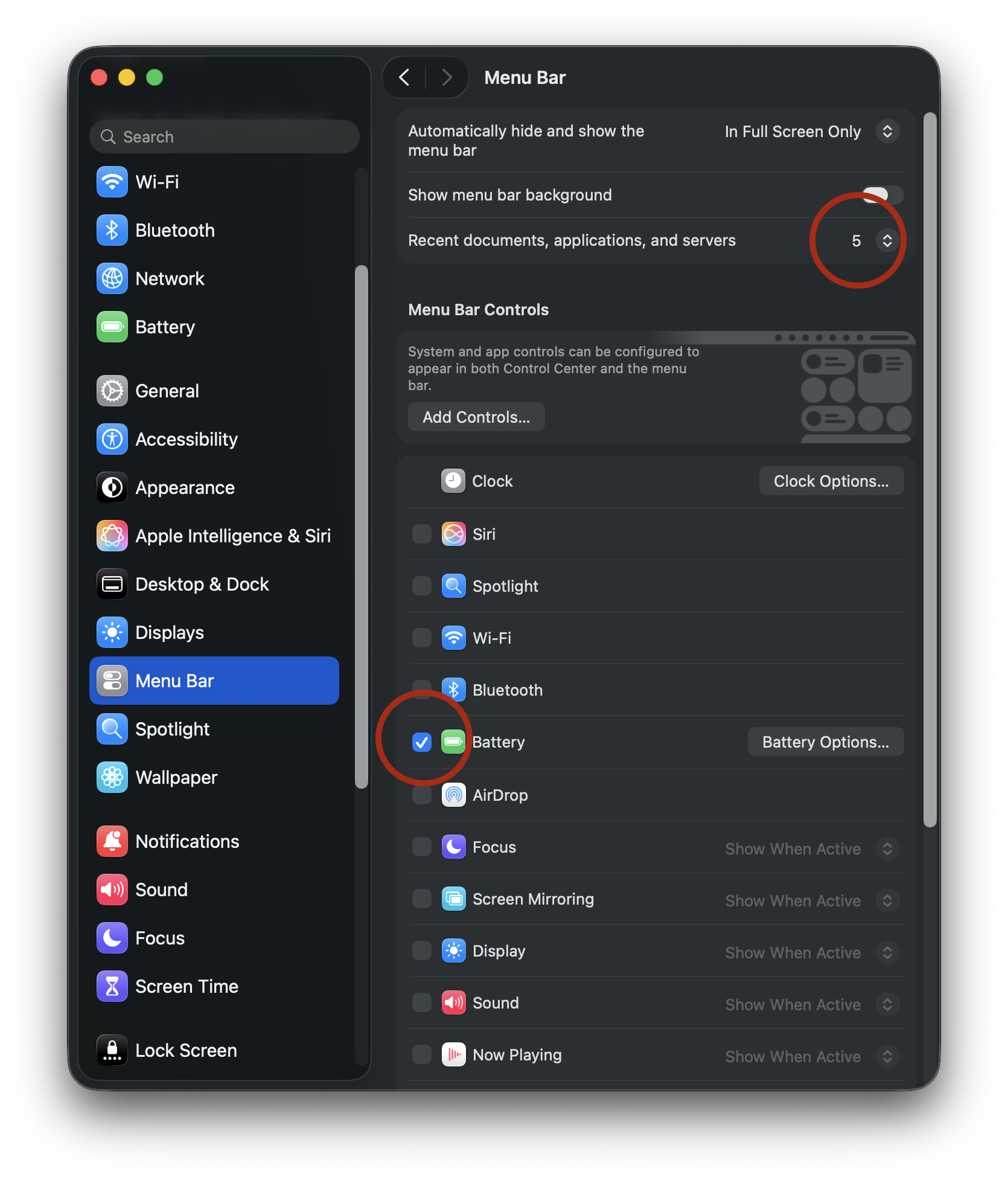
    MacOS menubar settings.

    Wallpaper and screensaver settings will change later, but for now, I’ve selected a simple time-based wallpaper (Earth > Middle East), only because I like the contrast between the dark background and the icons on my Desktop.
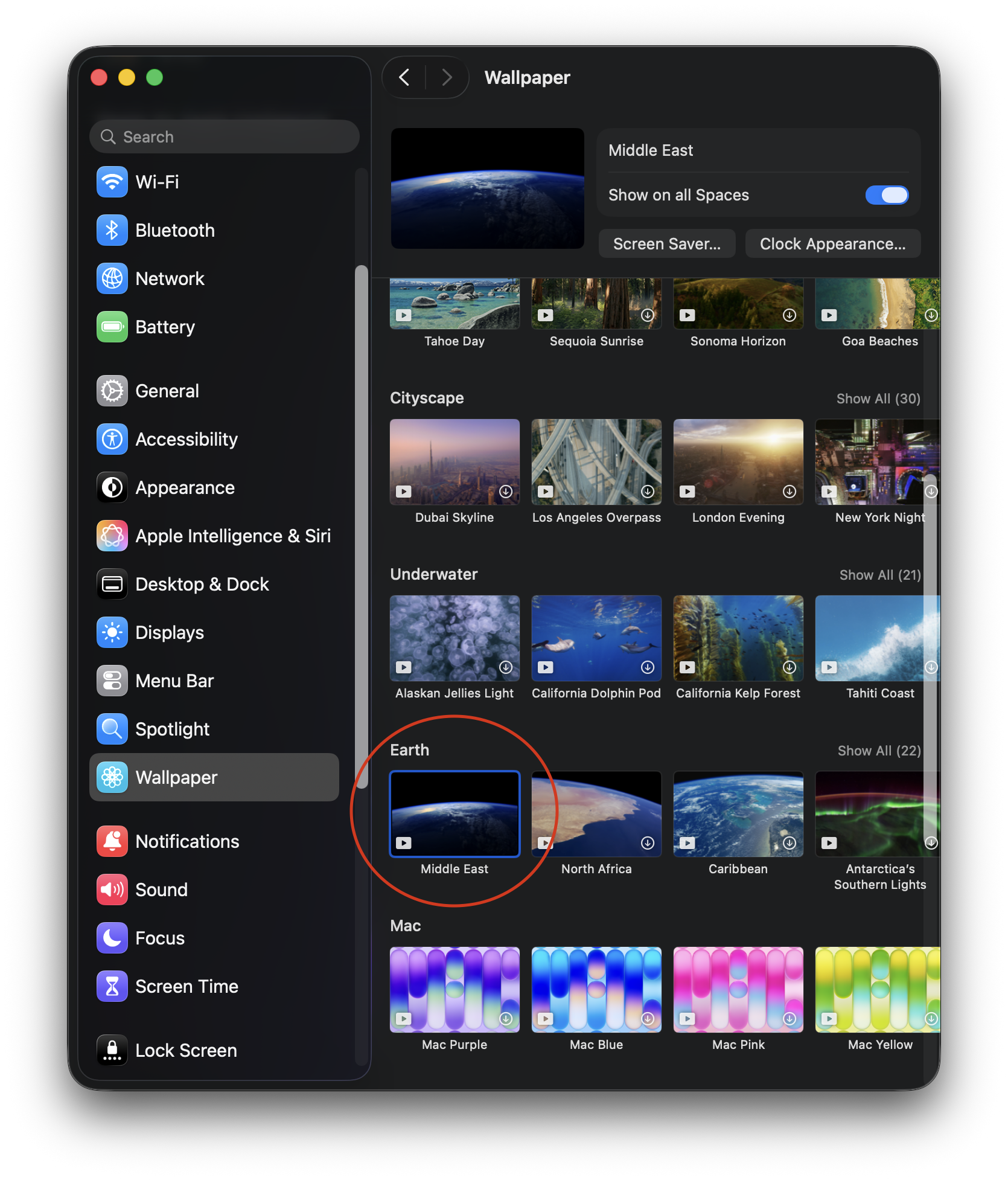
    MacOS wallpaper.

    The same wallpaper will be used for the screensaver. When my Mac is locked, the screensaver will display an animated wallpaper, with a large floating clock in the top center. Clicking on the Screen Saver button provides options for customizing the Clock appearance.
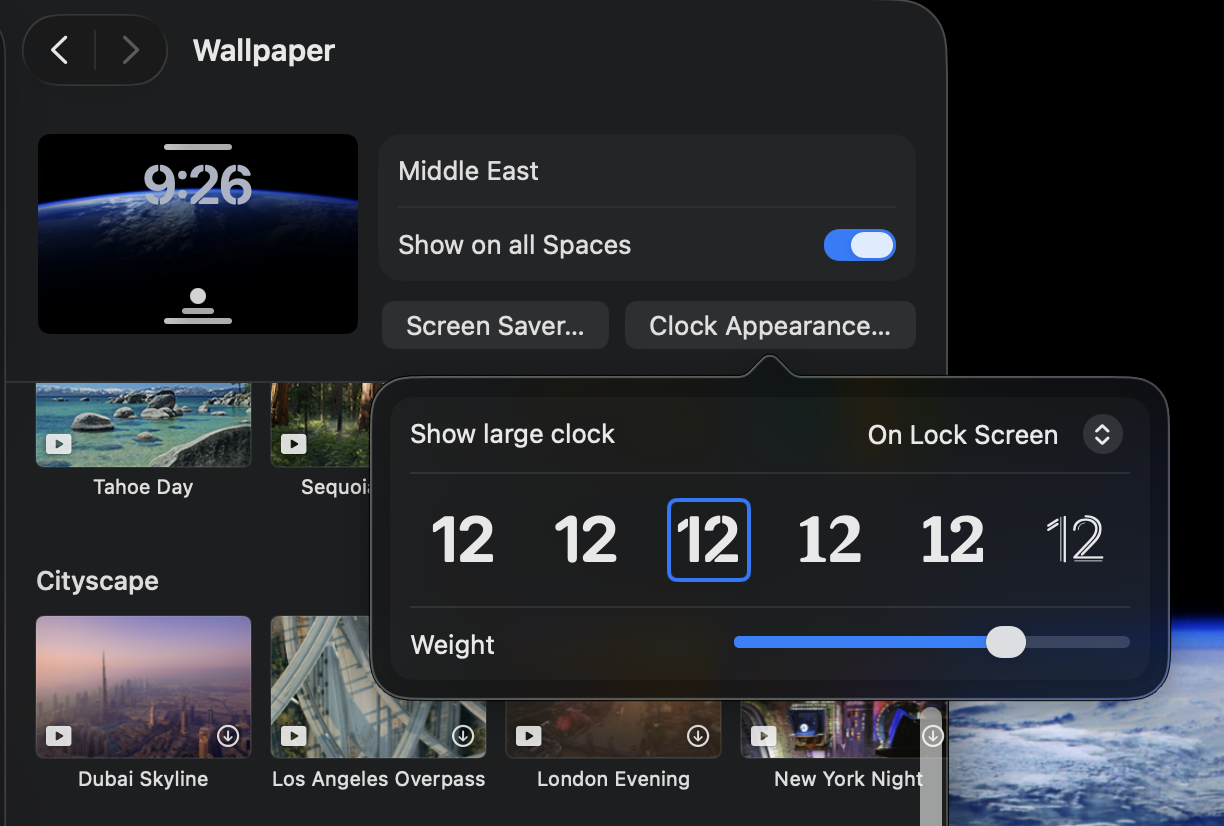
    MacOS screensaver clock.

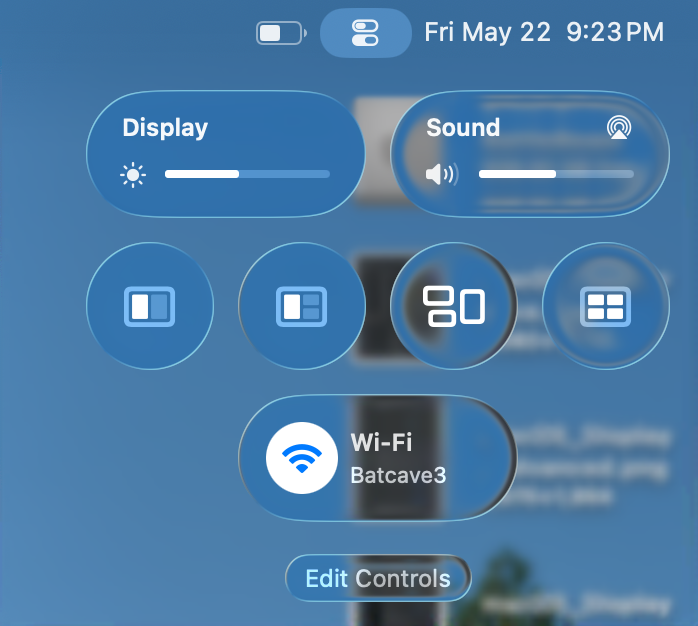
    Finally, I’ll configure Control Center, by first removing everything and adding the settings I actually find useful: Display, Sound, window management (including Mission Control) and Wi-Fi. Even if you are configuring your Mac differently than mine, the idea is that the decisions are made with intention and purpose

    MacOS ControlCenter.

    Next up: Notifications, Sound, Focus and Screen Time.

    -Krishna
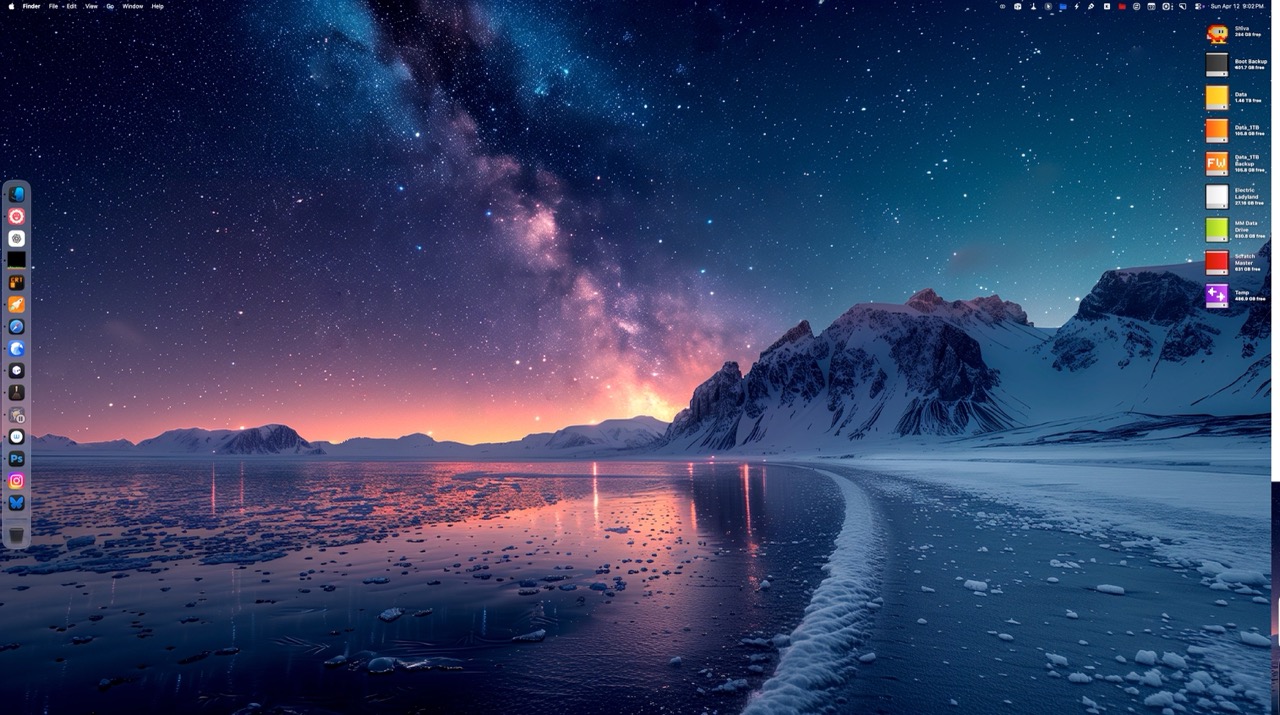
  • My Favorite Sites for 4K and Higher Desktop Wallpaper Backgrounds

    My Favorite Sites for 4K and Higher Desktop Wallpaper Backgrounds

    Desktop wallpapers are a terrific way to customize your computer. But great wallpaper sites are like hidden gems. You’ve really gotta look around to find the best ones.

    Good news for you!

    I’ve scoured the web (high and low) to find the absolute best places to find high quality 4K wallpaper, and lived to tell the tale. My recommendations are listed below.

    1. Pexels.com features high quality royalty free images, cleanly categorized, with a leaderboard to quickly find the most viewed creators on the site.

    2. Wallhaven.cc is perfect if your tastes skew towards pop culture. Truthfully, there’s something for everyone here, whether it’s landscapes or manga. What makes this site particularly notable (outside of the sheer volume of wallpapers) is its robust filtering system. Search by subject, resolution, and even color scheme to find your favorites.

    3. unsplash.com is a great place to find drawing reference, but it also serves double duty by serving up top notch 4K wallpapers. Wallpapers are curated by the Unsplash staff, so there’s bound to be something you like.

    4. Freepik.com is another terrific wallpaper resource. The site’s clean layout makes it easy to browse through its offerings. Beware that the site also includes AI generated art. Thankfully, there’s a toggle to exclude AI from your search results.

    5. BasicAppleGuy is an Apple themed blog, with articles, reviews, custom stickers and more. You don’t have to be an Apple aficionado to like what’s here. But if Apple’s your jam, you’ll find many excellent iPhone, iPad, and Mac desktop wallpapers to choose from, created by the site’s owner. Kick in a few bucks into the site’s Tip Jar to let him know you dig what he’s putting down.

    Chances are pretty solid that you’ll likely find your next wallpaper from one of the sites listed above. And, since you asked: My favorite wallpapers are those that feature colorful abstract designs or beautiful landscapes.

    Another reason these sites made the list is for they don’t have: No pop-up ads, no re-directs or any of that other nonsense. Who’s got time for that?

    -Krishna